Malaysia LHDN e-Invoice Implementation
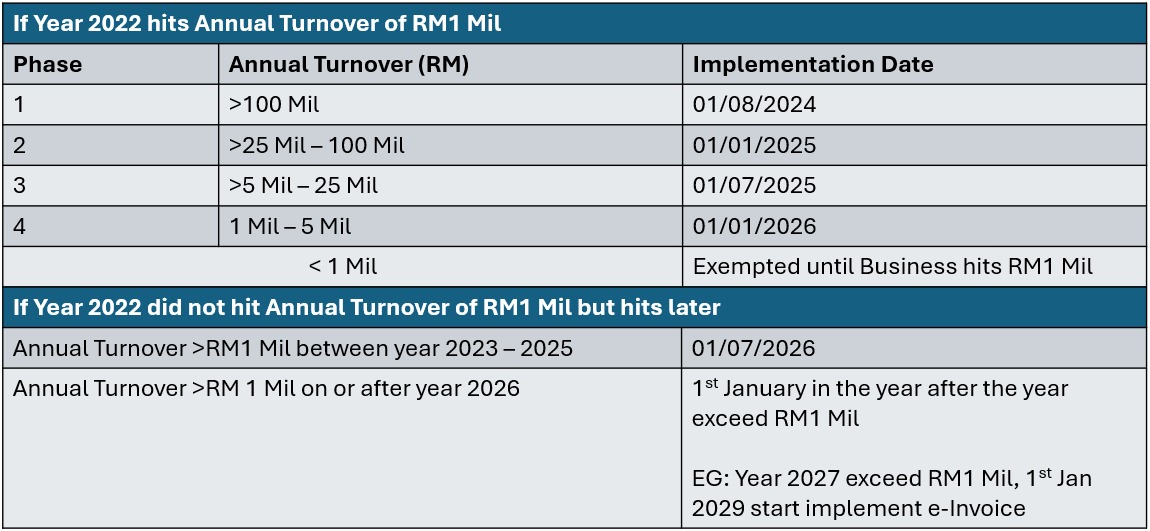
The Inland Revenue Board of Malaysia (LHDN) is progressively implementing a mandatory e-Invoice system for all business taxpayers. The first phase of this mandatory implementation commenced on August 1, 2024.
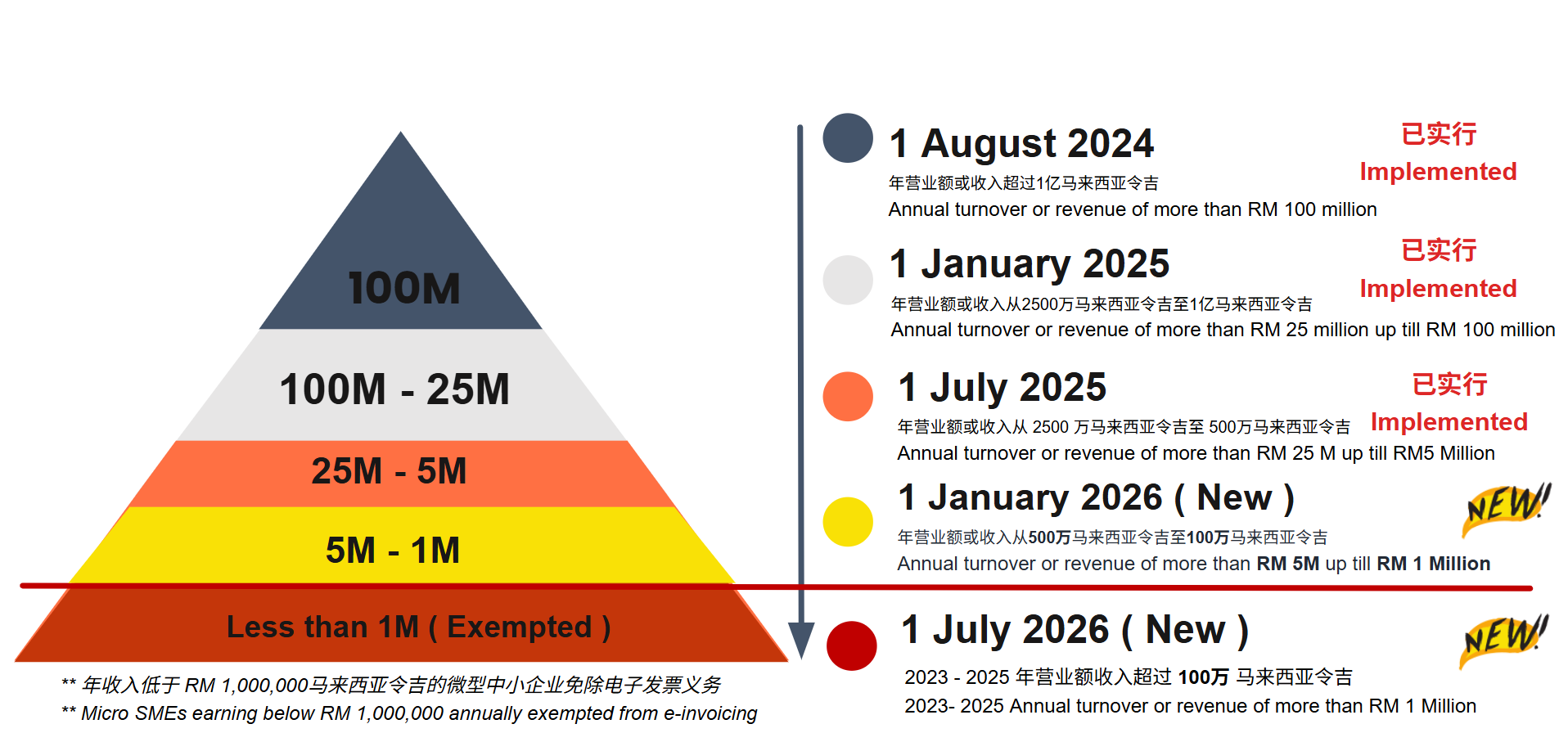
https://www.hasil.gov.my/media/fzagbaj2/irbm-e-invoice-guideline.pdf
https://www.hasil.gov.my/media/0xqitc2t/lhdnm-e-invoice-general-faqs.pdf
For New Businesses or Operations Commencing From Year 2026 Onwards
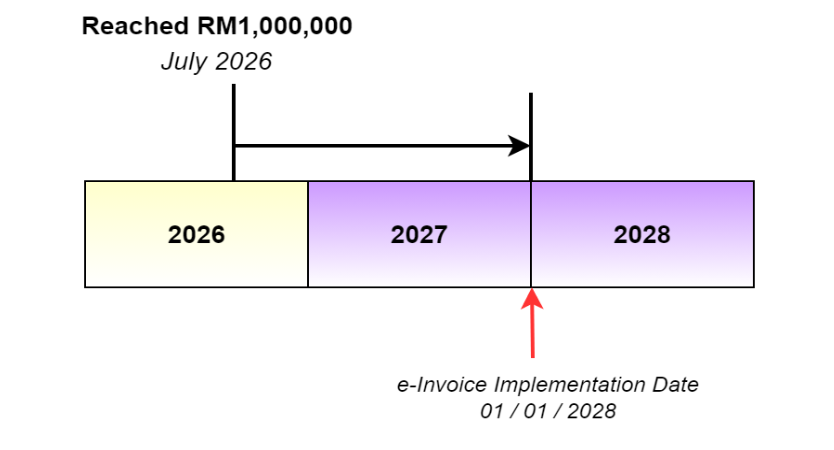
For new businesses or operations commencing from year 2026 onwards, the e-Invoice implementation date is 1 July 2026 or upon the operation commencement date. However, if the first year’s turnover or revenue is less than RM1,000,000, the e-Invoice implementation date would be 1 January in the second year following the year in which the total annual turnover or revenue reached RM1,000,000.
What is e-Invoice?
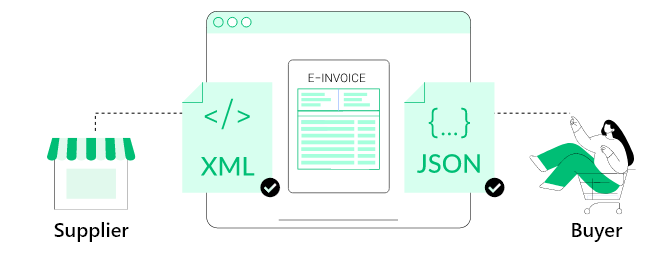
An e-Invoice serves as a digital proof of transaction between a supplier and a buyer, designed to replace traditional paper or non-standard electronic documents.
AutoCount e-Invoice Solution
With the AutoCount e-Invoice solution, businesses can efficiently generate, submit, process, and receive e-Invoices via the LHDN MyInvois system, fully compliant with the officially certified XML and JSON formats.
This solution streamlines compliance workflows and enhances operational efficiency, ensuring seamless integration between SMEs and the national e-Invoice system.
Types of e-Invoices
Standard e-Invoice ( B2B )
The Standard e-Invoice is the cornerstone of LHDN's drive for digital tax compliance.
It fundamentally alters the process of inter-business transactions and financial accounting. Ignoring any of these key points will directly impact your tax compliance and cash flow.
Mandatory Requirement:
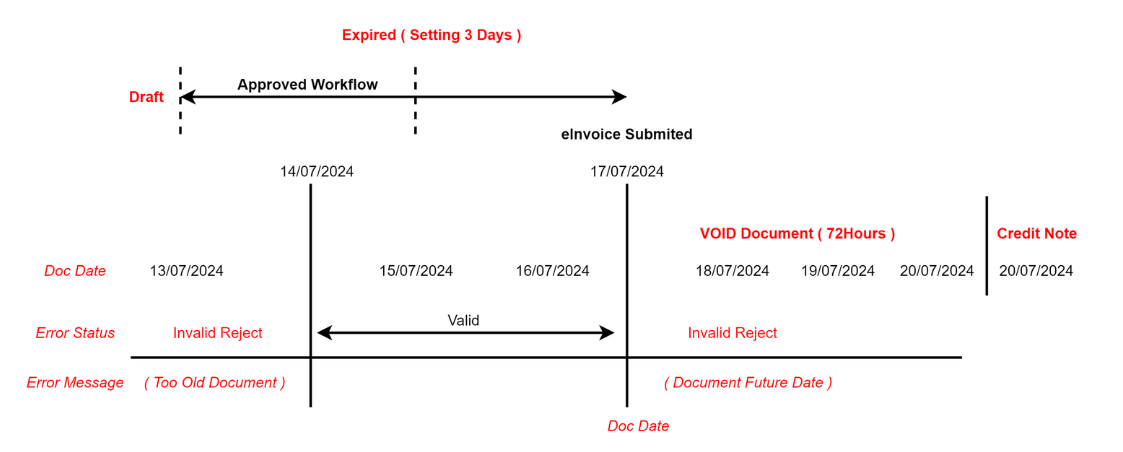
Every Standard e-Invoice must include the Buyer's Tax Identification Number (TIN) / Business Registration Numbers ( BRN ), Individual IC Numbers
System Barrier:
If your system attempts to upload an invoice lacking the correct TIN, the LHDN MyInvois platform will automatically reject the submission, preventing it from entering the validation process.
Consolidated e-Invoice ( B2C )
-
Businesses in the retail and F&B sectors can effortlessly generate LHDN-compliant consolidated e-Invoices for B2C transactions and upload them directly to LHDN through AutoCount POS.
-
For retail or F&B operators managing multiple outlets across different locations, the POS solution enables seamless consolidation of e-Invoices. With just a single click, each outlet’s invoices are generated, combined, and submitted in full compliance with LHDN requirements.
-
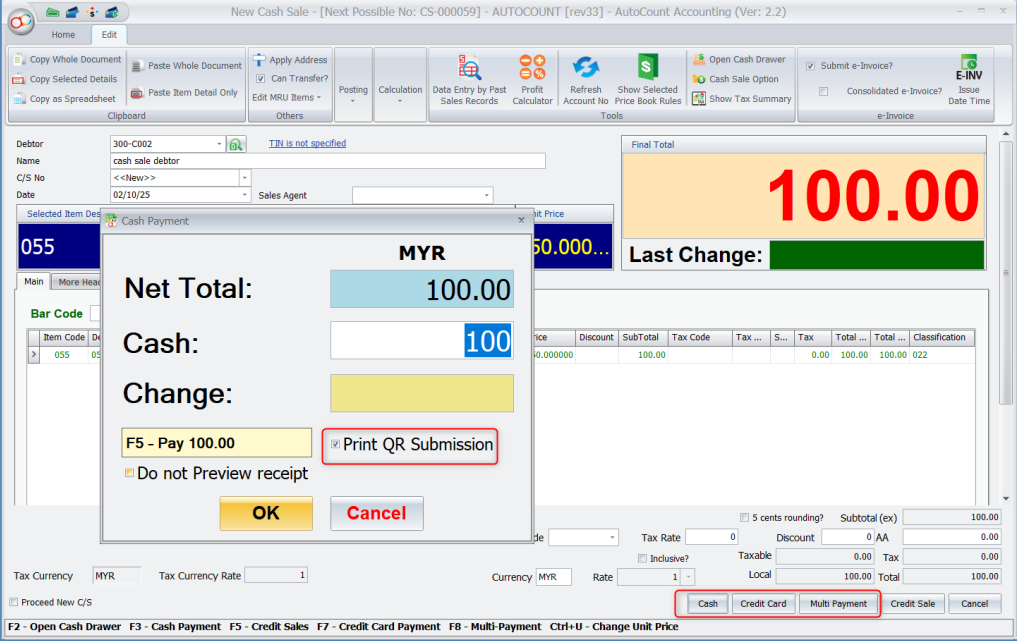
Customers can simply scan the QR code printed on their receipts and enter their details to request an e-Invoice—making the process smooth, quick, and convenient.
-
Once the customer submits their information, AutoCount AIP automatically processes and generates the e-Invoice, ensuring a fully streamlined experience from request to issuance.
Consolidated e-Invoice (B2C) – Submission Deadline
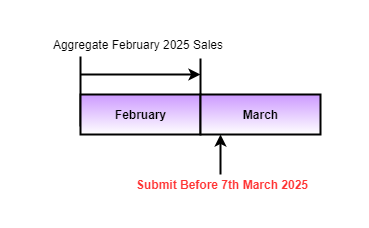
For B2C transactions under the MyInvois system, all consolidated e-Invoices must be submitted by the 7th day of the following month.
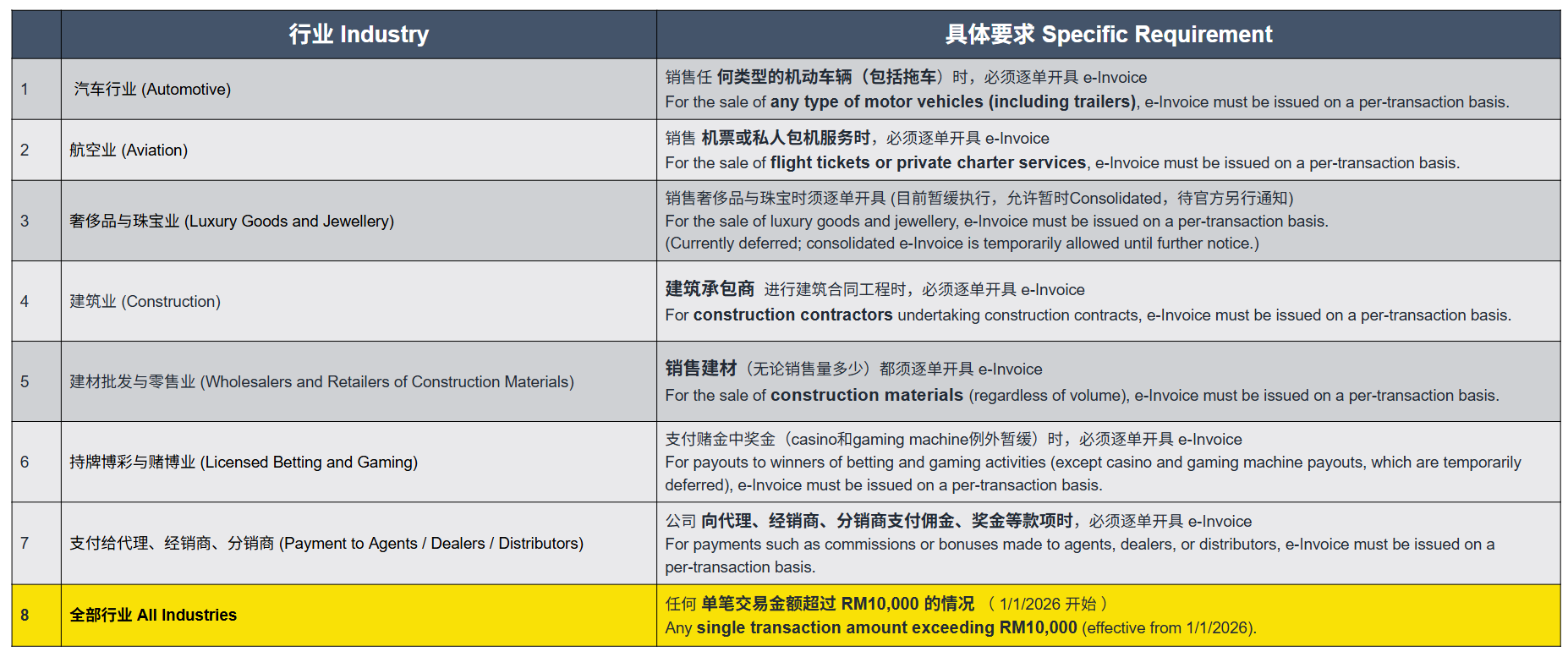
Industries and Transactions Not Allowed to Use B2C Consolidated e-Invoice
Self-Billed e-Invoice
-
A Self-Billed e-Invoice is an approved invoicing mechanism where, under specific business arrangements, the buyer (Buyer) issues and submits the e-Invoice on behalf of the supplier (Supplier) based on the actual transaction details.
-
This method applies when the supplier is unable to issue invoices accurately, or when the buyer possesses more complete transaction or pricing information. Under a formal Self-Billing Agreement, the buyer assumes the responsibility of invoice issuance to ensure accuracy, transparency, and tax compliance.
SELF-BILLING E-INVOICE ( IMPORTATION OF GOODS )
CLASSIFICATION CODE = 034
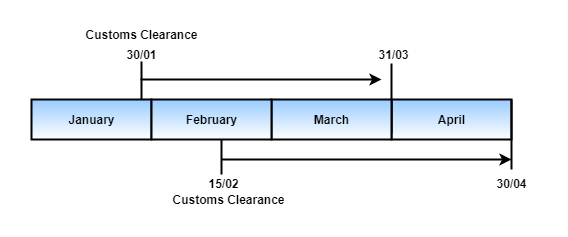
Malaysian purchasers self-billed e-invoices must be generated by the second month after customs clearance.
SELF-BILLING E-INVOICE ( IMPORTATION OF SERVICES )
CLASSIFICATION CODE = 035
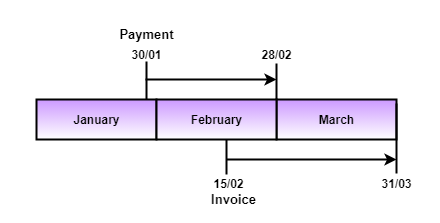
In Malaysia, a self-billed e-invoice must be issued by the end of the month following the earlier of these two events: either the Payment is made by the Malaysian purchaser or the Invoice is received from the foreign supplier.
Whichever comes first
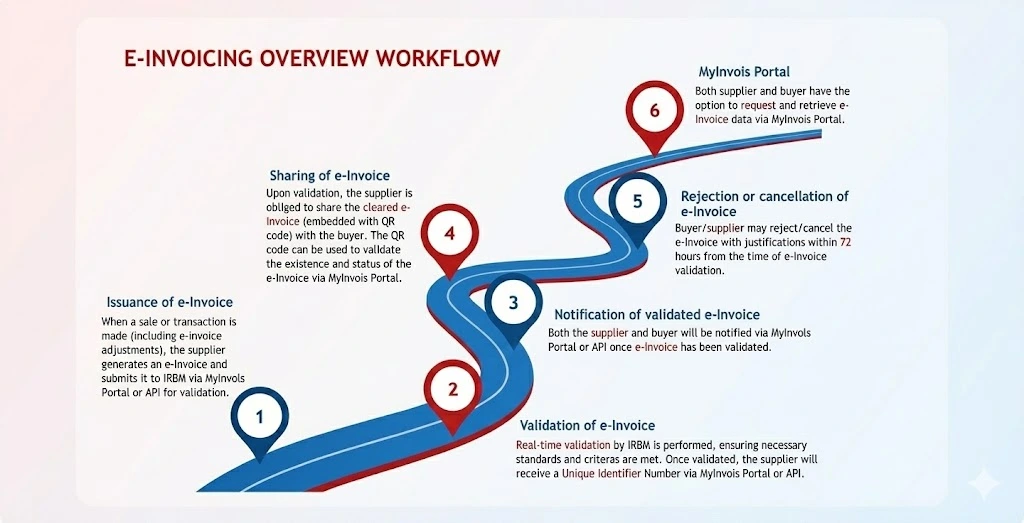
e-Invoicing Overall Workflow
1. Issuance of e-Invoice
When a sale or transaction is made (including e-Invoice adjustments), the supplier generates an e-Invoice and submits it to IRBM via MyInvois Portal or API for validation.
2. Validation of e-Invoice
Real-time validation by IRBM is performed, ensuring necessary standards and criteria are met. Once validated, the supplier will receive a Unique Identifier Number via MyInvois Portal or API.
3. Notification of validated e-Invoice
Both the supplier and buyer will be notified via MyInvois Portal or API once e-Invoice has been validated.
4. Sharing of e-Invoice
Upon validation, the supplier is obliged to share the cleared e-Invoice (embedded with QR code) with the buyer. The QR code can be used to validate the existence and status of the e-Invoice via MyInvois Portal.
5. Rejection or cancellation of e-Invoice
Buyer/supplier may reject/cancel the e-Invoice with justifications within 72 hours from the time of e-Invoice validation.
6. MyInvois Portal
Both supplier and buyer have the option to request and retrieve e-Invoice data via MyInvois Portal.
What You Need to Prepare
According to the official regulations of the Inland Revenue Board of Malaysia (LHDN), your preparation must focus on the following three core areas:
1. Verify Mandatory Implementation Threshold
Confirm whether your company meets the tiered turnover requirements for LHDN e-Invoice implementation to ascertain your mandatory compliance date.
2. Master Official Operating Platform
Evaluate and complete the registration and operational training for the LHDN MyInvois Portal (suitable for low-volume businesses), or finalize the system API integration strategy.
3. Master Regulations and Operational Guidelines
Conduct an in-depth study of the e-Invoice's statutory requirements, detailed implementation rules, and standard submission procedures to ensure business processes adhere to LHDN standards.
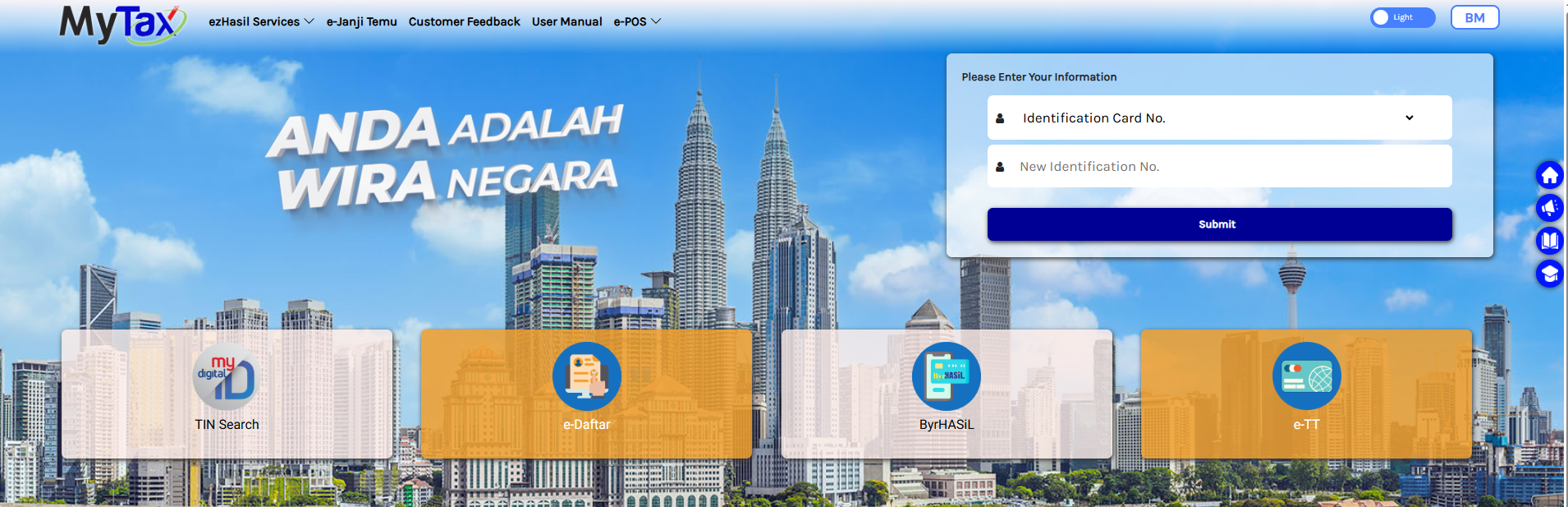
https://mytax.hasil.gov.my/
AutoCount Solution with LHDN e-Invoice
The AutoCount e-Invoice Solution - the AutoCount e-Invoice Platform (AIP), is designed to simplify your e-Invoicing processes with LHDN, boost efficiency, enhance accuracy, and ensure full compliance with LHDN regulations—all from a unified platform.
How does AutoCount e-Invoice Platform (AIP) works?
Developed in effectual of the official LHDN e-Invoice Software Development Kit (SDK), AutoCount AIP bridges the gap between businesses and the LHDN, enabling direct submission of e-Invoices to the LHDN MyInvois system through the familiar AutoCount software interface. This functionality covers generation of Standard, Consolidated, and Self-Billed e-Invoices. Soon, users will have the capability to utilize Peppol standard invoicing for their transactions, enhancing interoperability within the Peppol ecosystem.
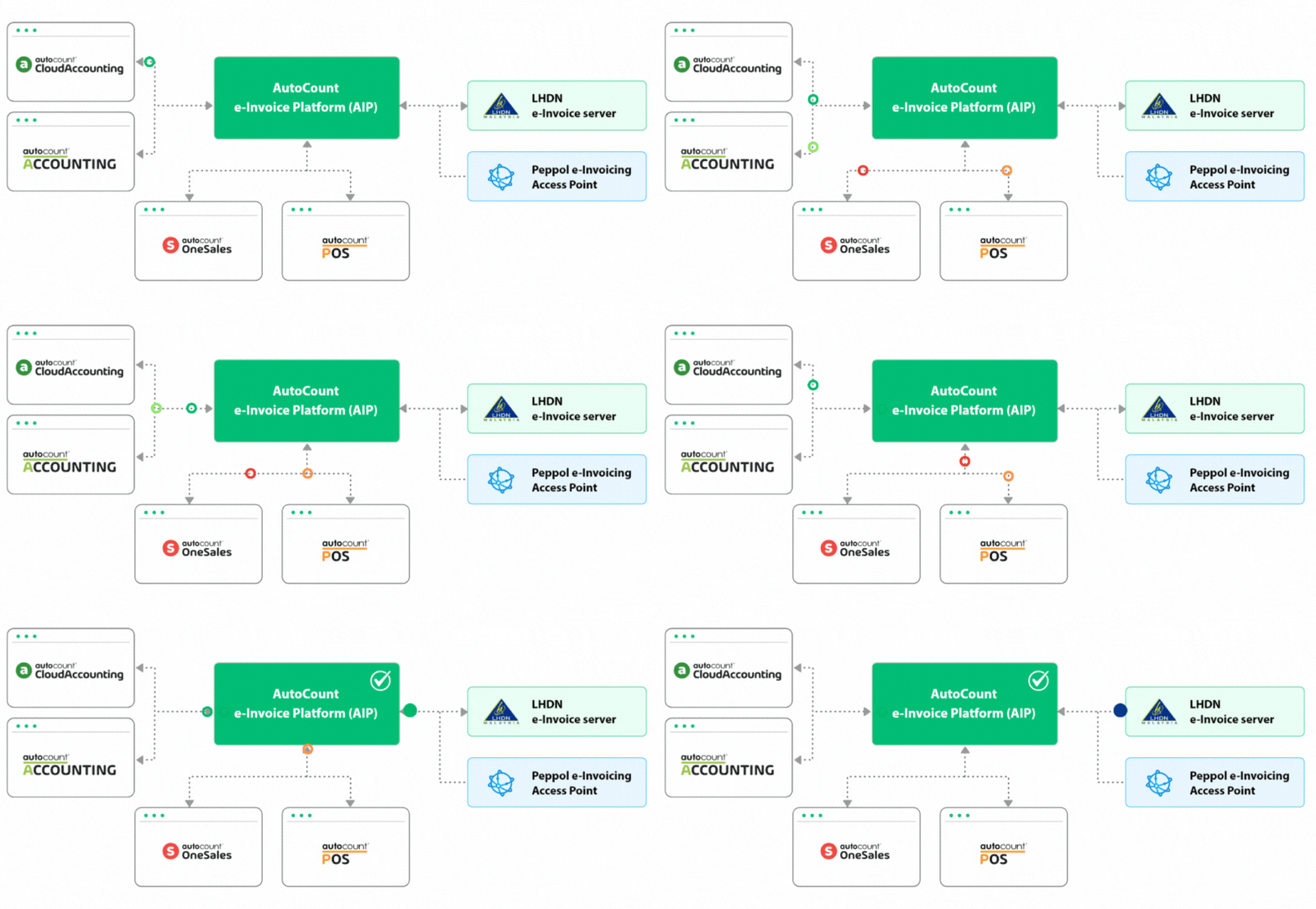
Some of AIP special features includes:
- Intelligent Onboarding where AIP simplifies onboarding by managing TINs and buyer details. It integrates with your POS system to ensure fast, accurate e-Invoicing.
- Intelligent Update keeps you compliant by auto-updating MSIC codes and UOM based on the latest LHDN requirements and,
- Intelligent Submission, an automatic retry feature for failed submissions during LHDN downtime.
How Can We Help You?
We provide professional accounting systems and digital solutions that fully support Malaysia’s e-Invoice compliance and beyond — empowering your business to remain compliant, efficient, and stress-free in an evolving digital economy.
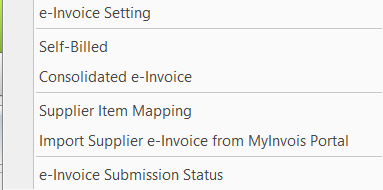
Built-in TIN Search
Fast, Accurate, Hassle-Free
Built-in Search TIN feature allows users to instantly retrieve Tax Identification Numbers (TIN) from the official database within the system interface — eliminating the need for manual lookup and reducing the chance of data entry errors.
Say goodbye to repetitive and tedious searches. This intelligent tool helps you save time and stay compliant with e-Invoice requirements effortlessly.
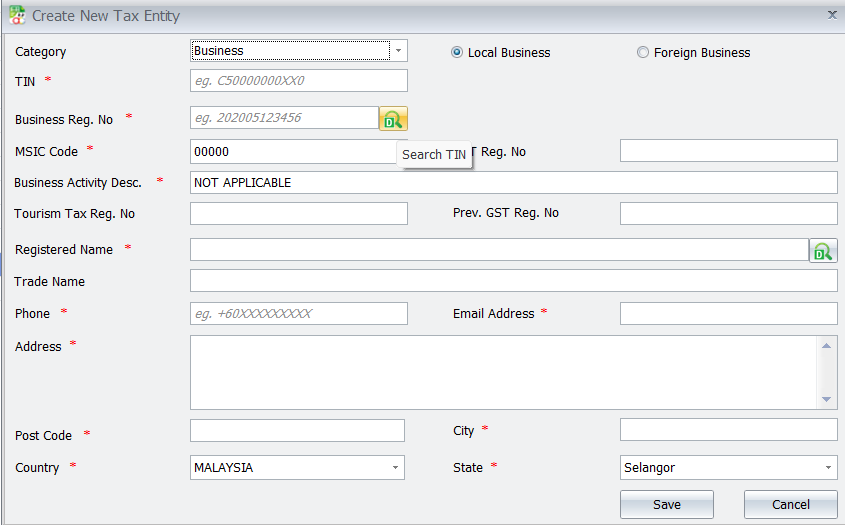
How to Search TIN By AutoCount System
https://uksoftsolutionplt.odoo.com/knowledge/article/1169
e-Invoice Module in Sales Invoice
Full Visibility & Real-Time Status
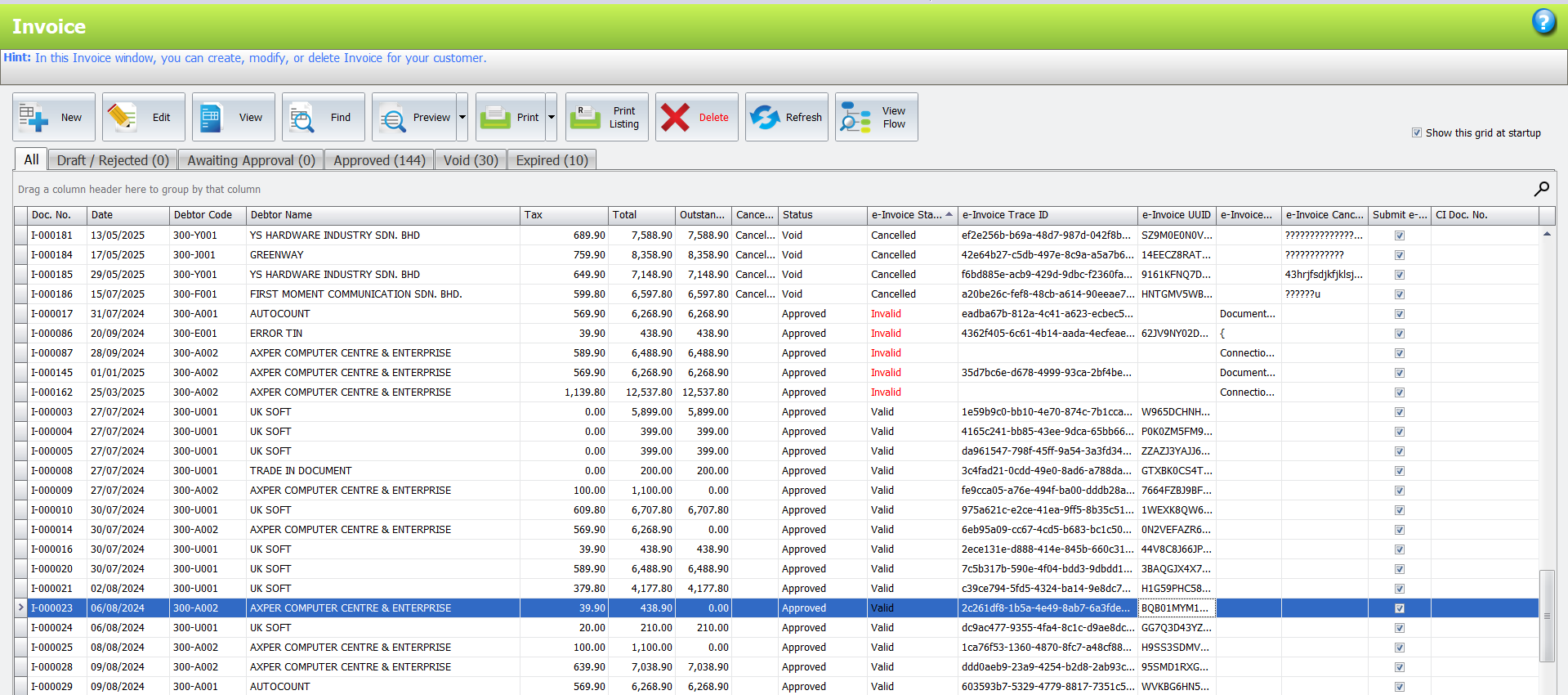
Within the Sales Invoice module, AutoCount provides a fully integrated e-Invoice panel that allows users to clearly track and monitor each invoice’s compliance status — whether it is Valid, Cancelled, or Pending.
This centralized view enables businesses to stay audit-ready, reduce compliance risks, and quickly identify any submission issues, all from within the familiar Sales Invoice interface.
How to Create Standard e-Invoice ( B2B )
Consolidated e-Invoice
One-Click Reporting, Smart & Efficient
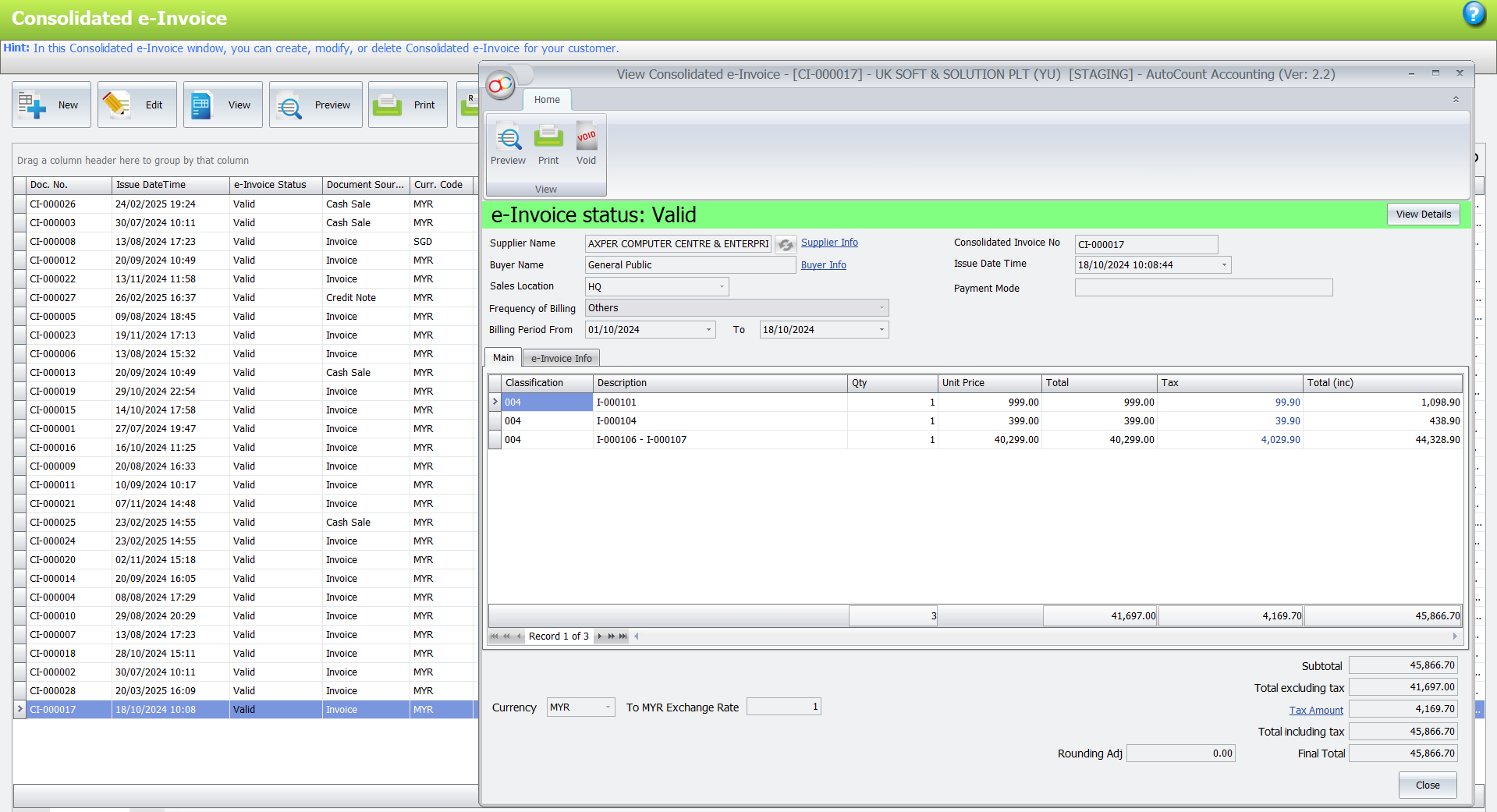
The Consolidated e-Invoice feature allows users to combine multiple e-Invoice entries into a single report, providing a clear and organized summary for audit, reconciliation, or internal tracking purposes. With just one click, users can generate the required consolidated report, significantly reducing time spent on manual compilation.
This function is especially useful for businesses managing high-volume transactions, offering a simple yet powerful solution to streamline documentation and reporting compliance.
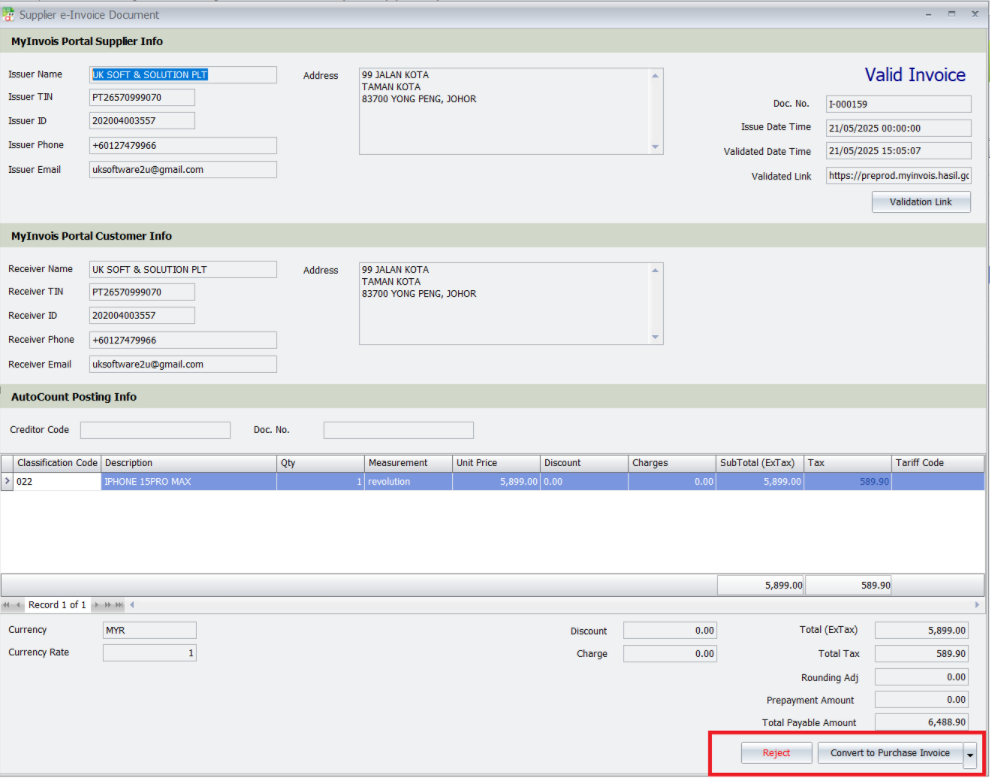
Import Supplier e-Invoice from MyInvois Portal
Seamless Integration with Purchase / AP Modules
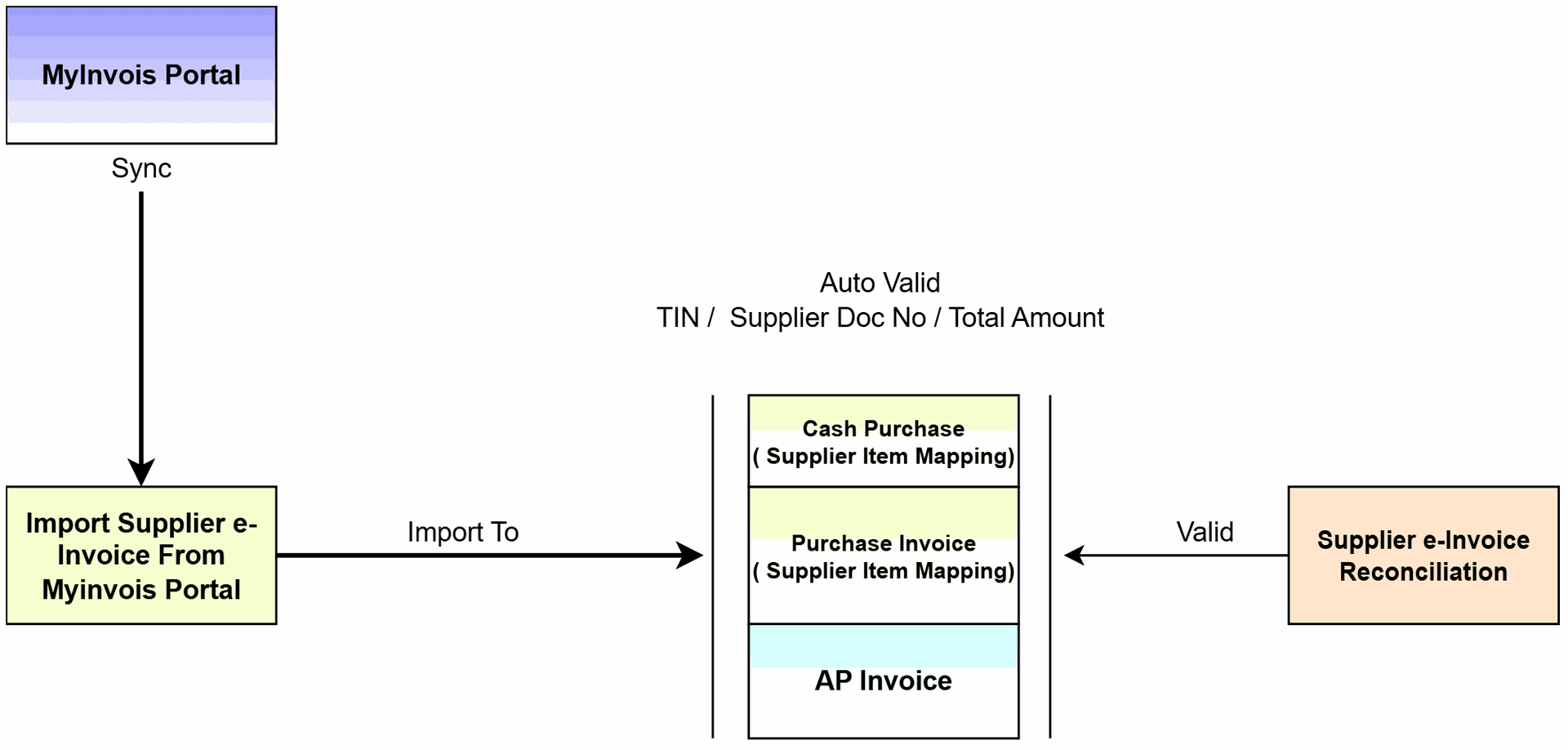
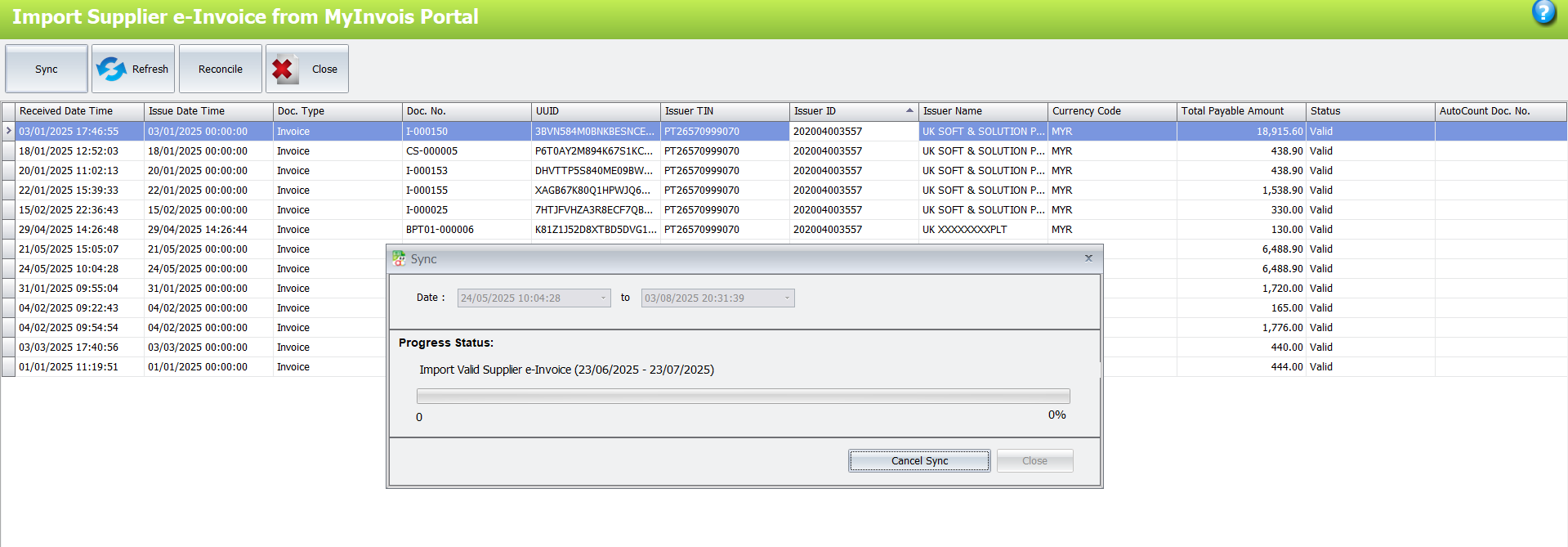
AutoCount now supports the direct import of supplier e-Invoices downloaded from the MyInvois Portal, allowing users to convert them instantly into Purchase Invoices, A/P Invoices, or Cash Purchases within the system.
This feature eliminates manual data entry, reduces human error, and speeds up the document processing cycle—enhancing overall efficiency and e-Invoice reconciliation.
Import Supplier e-Invoice from MyInvois Portal - Senario 1
Import Supplier e-Invoice from MyInvois Portal - Senario 2
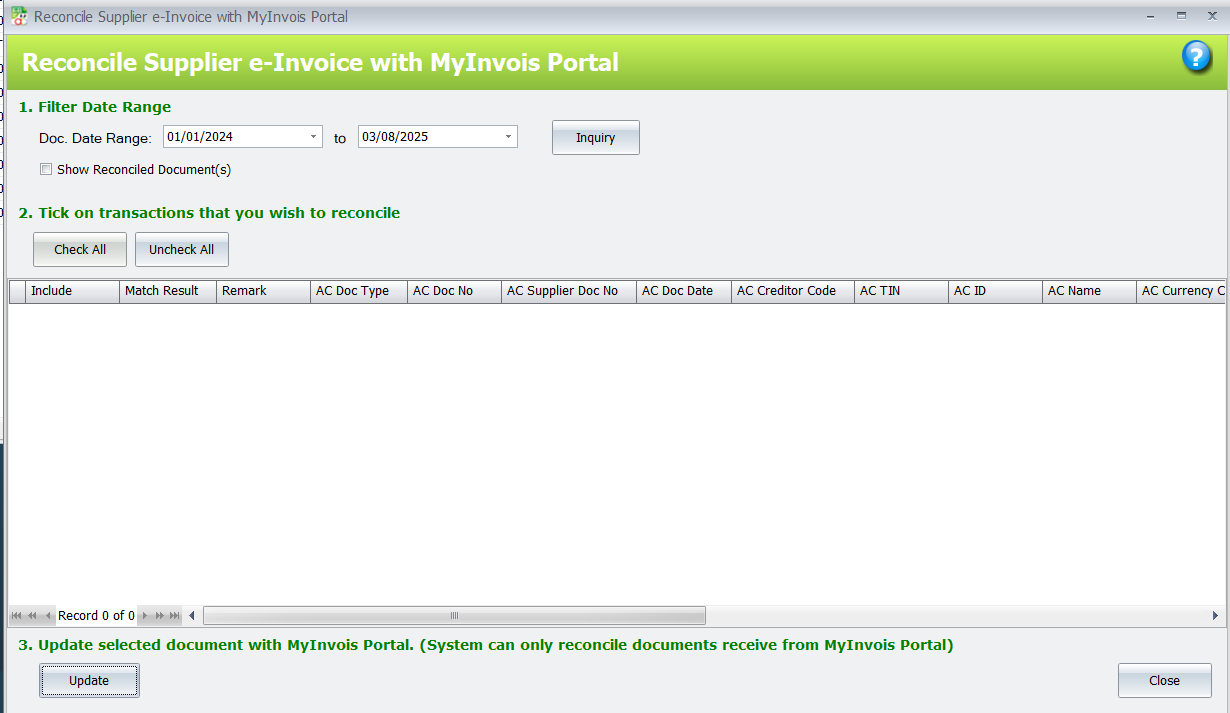
Reconcile Supplier e-Invoice with MyInvois Portal
Accurate Matching, Zero Discrepancy
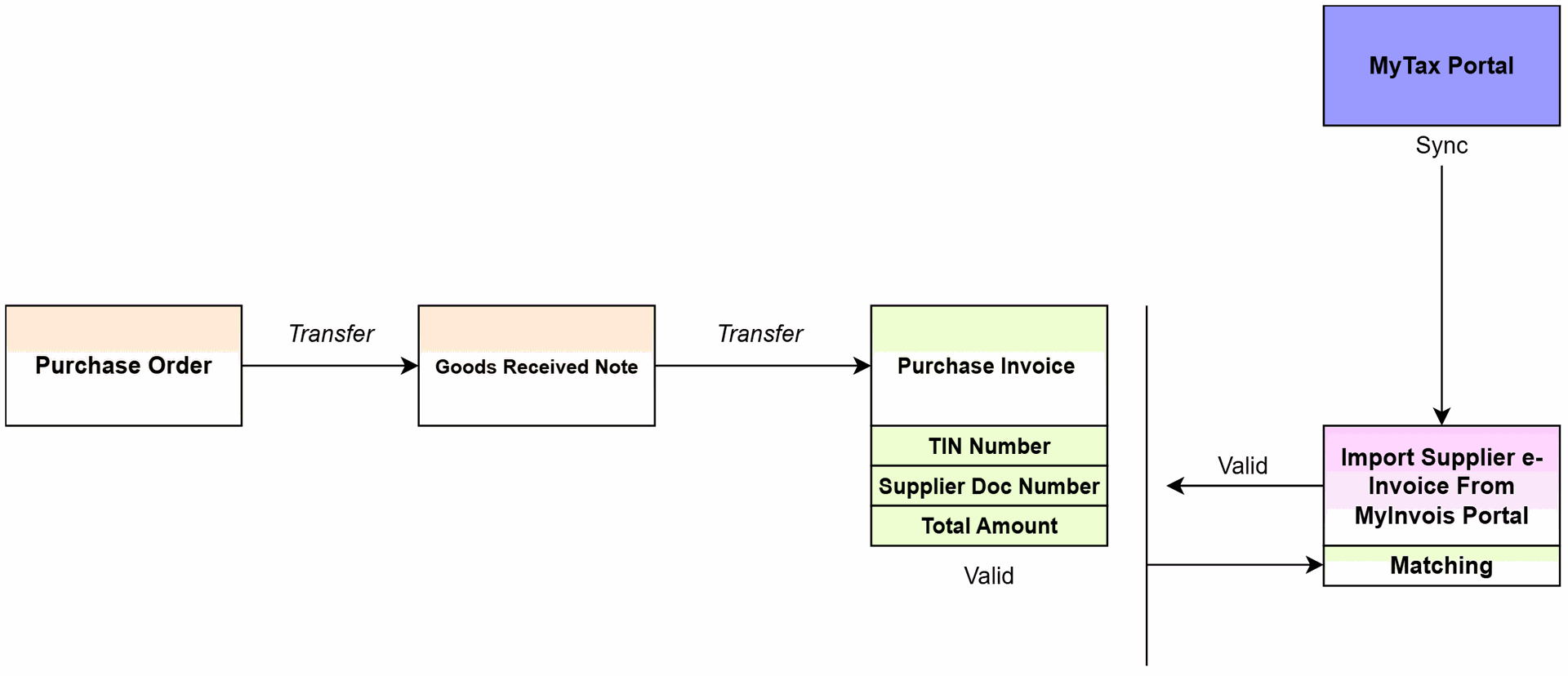
AutoCount provides a powerful reconciliation tool that allows users to match imported supplier e-Invoices with the data retrieved from the official MyInvois Portal. The system compares invoice details such as invoice number, amount, date, and supplier TIN, and highlights any inconsistencies for user review.
This reconciliation feature helps businesses ensure data integrity, reduce compliance risks, and maintain clean and accurate AP records — all in just a few clicks.
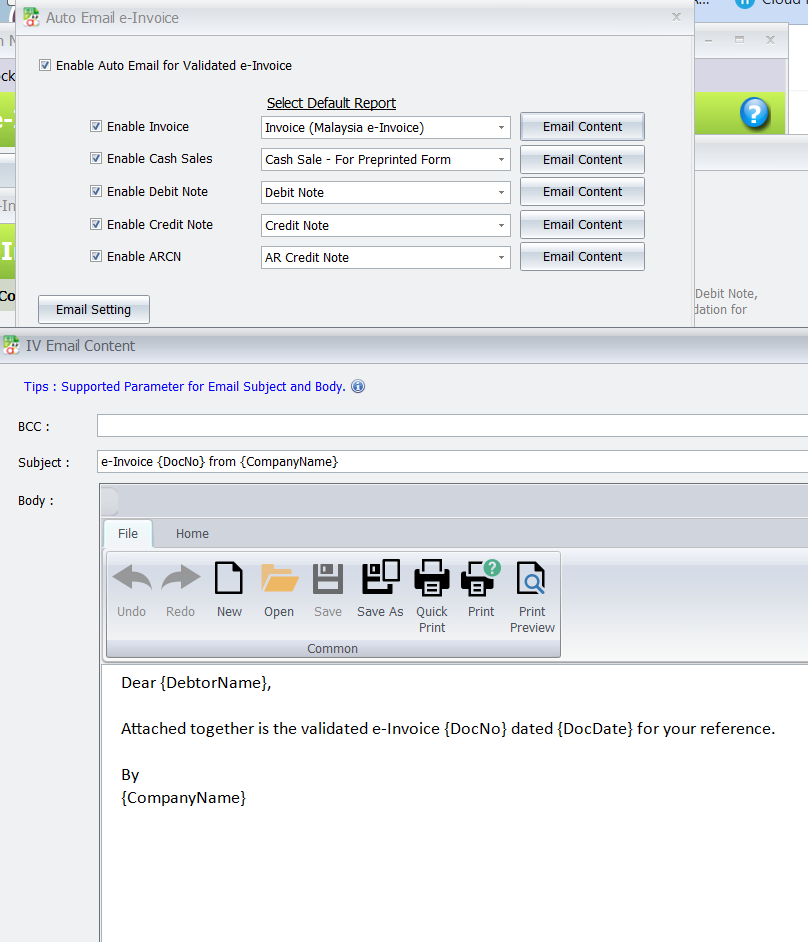
Auto Email for Validated e-Invoice
Automated Delivery, Personalized Communication
Once an e-Invoice is successfully validated by LHDN (Inland Revenue Board), AutoCount’s system can automatically send a confirmation email to the respective customer. This feature supports customizable email templates, allowing businesses to deliver branded, professional communication without manual effort.
With this automation in place, users can ensure timely notification, improve customer experience, and reduce repetitive administrative tasks.
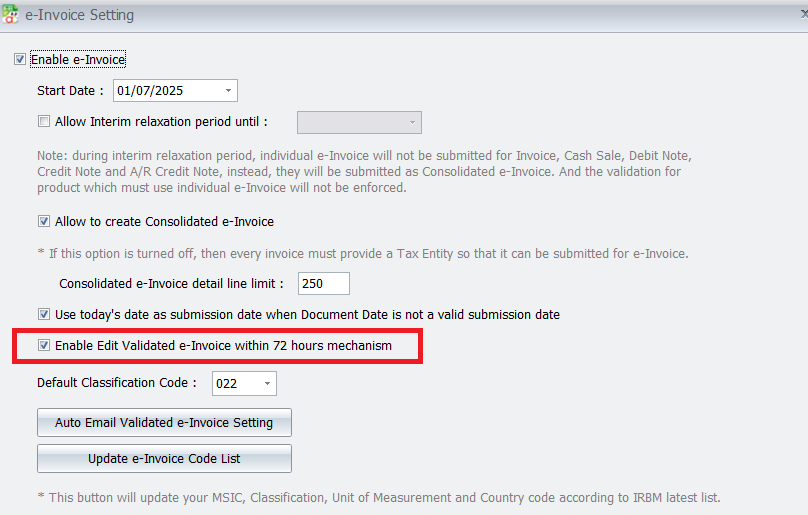
e-Invoice 72-Hour Edit Mechanism
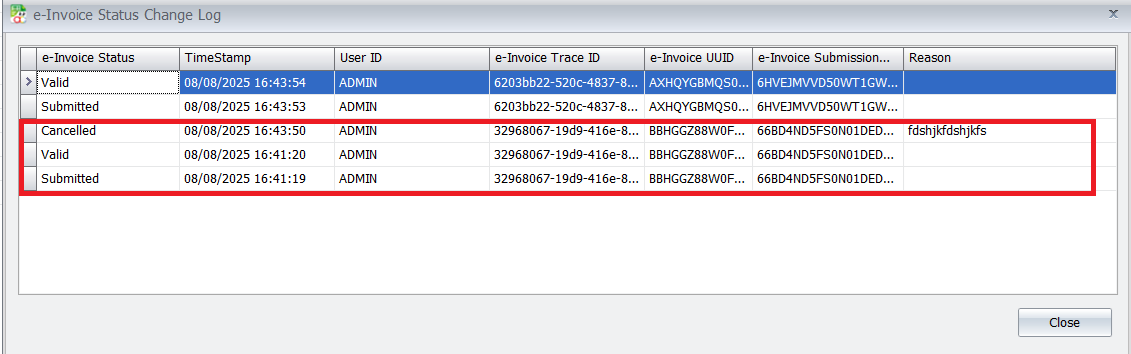
To provide greater flexibility after invoice submission, AutoCount e-Invoice offers a 72-Hour Edit Validated e-Invoice Mechanism that allows users to make corrections even afterthe invoice has been validated, ensuring data accuracy and compliance.
Cash Sales / POS QR Submission
Preview and Print
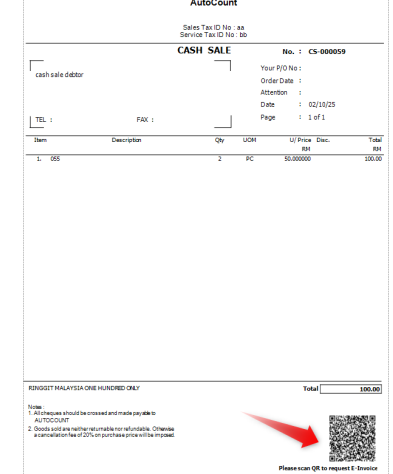
• Preview the e-Invoice report.
• A QR code for e-Invoice request will appear at the bottom of the document.
• Customers can scan this QR code to request their e-Invoice