POS Front End Functionality
Simple Path to Smart Operations
In the bustling retail environment, we firmly believe that POS operations should be intuitive and easy to learn, not complex and daunting.
AutoCount POS is precisely designed with this in mind – it redefines efficiency and convenience, ensuring that every employee, even a complete beginner, can master it with ease in a short period, confidently serving customers.
Flexible Multi-Payment Interface
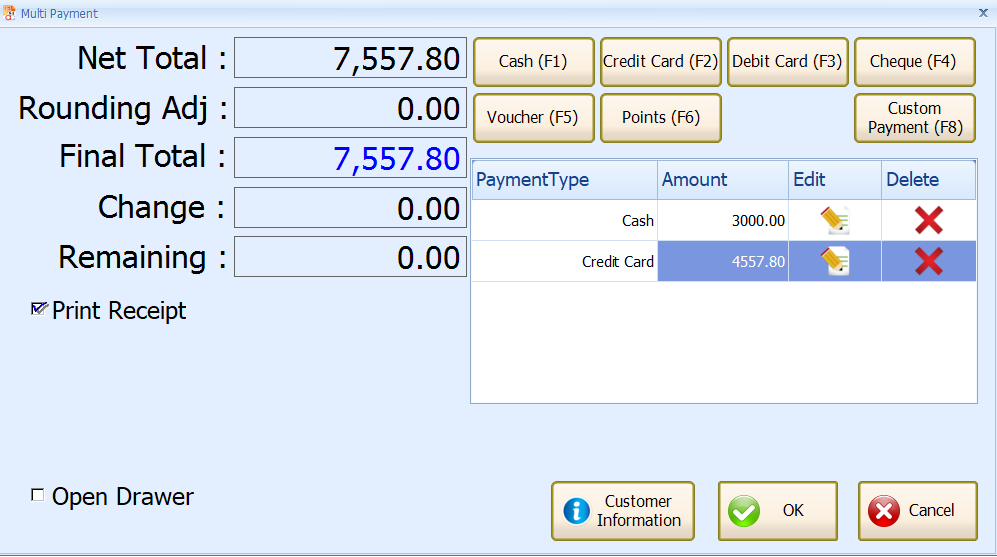
AutoCount POS features a user-friendly multi-payment interface that allows customers to settle transactions using multiple payment methods in a single bill.
Whether it’s a mix of cash, credit card, debit card, vouchers, loyalty points, or custom payment types ( Duit Now, Touch N Go, Boost Pay, eWallet ), the system ensures seamless processing and full payment traceability.
With clear breakdowns of each payment method and real-time validation, it minimizes cashiering errors and speeds up checkout time.
This is especially useful in high-traffic retail environments, where fast and accurate transactions are critical for maintaining customer satisfaction and operational flow.

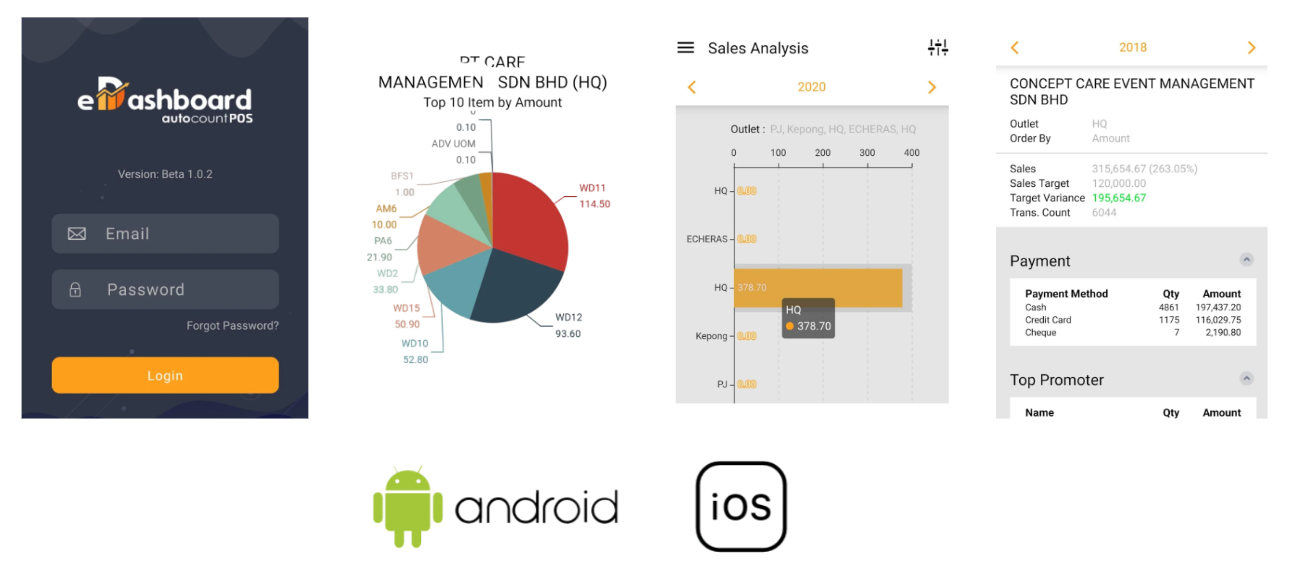
e-Wallet Application
Comprehensive Item Lookup Interface
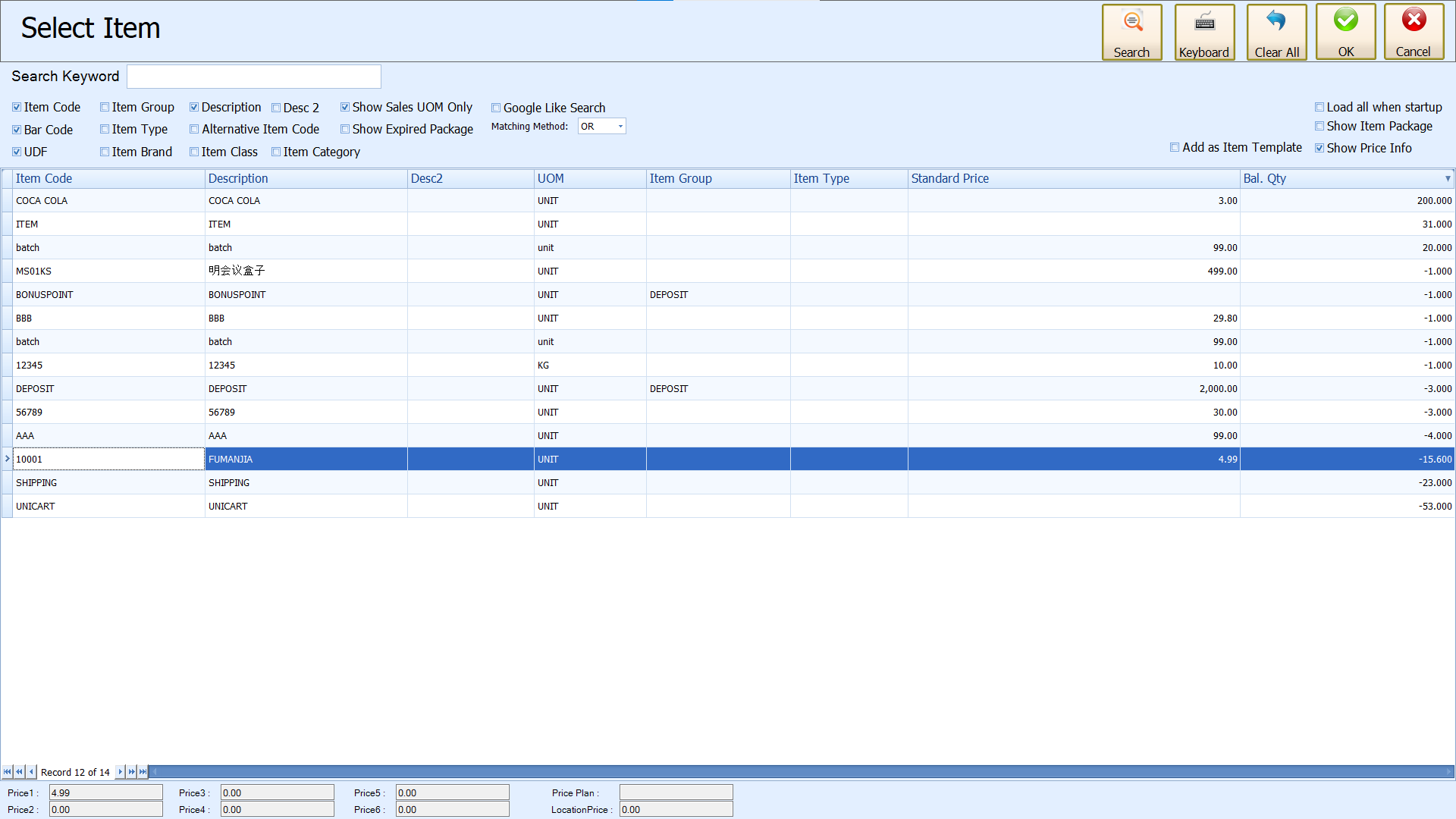
AutoCount POS provides a powerful and intuitive item selection screen that allows users to search and select products efficiently. Users can filter items using various criteria such as Item Code, Description, Barcode, Item Group, Item Class, or UOM
It also supports the addition of item templates for faster repeat entries, and users can view pricing plans and location-specific prices at the bottom for advanced pricing control.
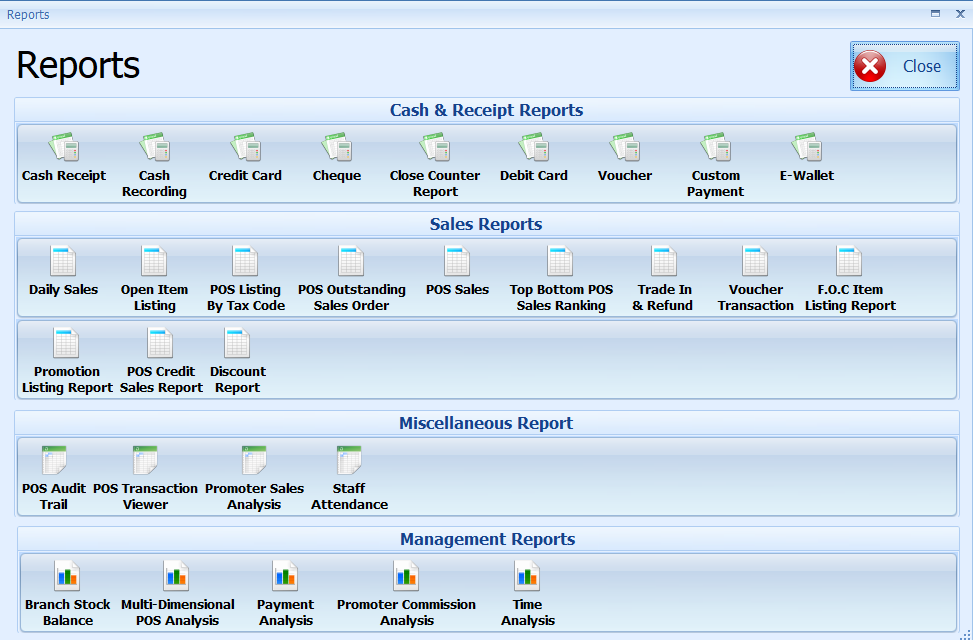
POS Reports Center
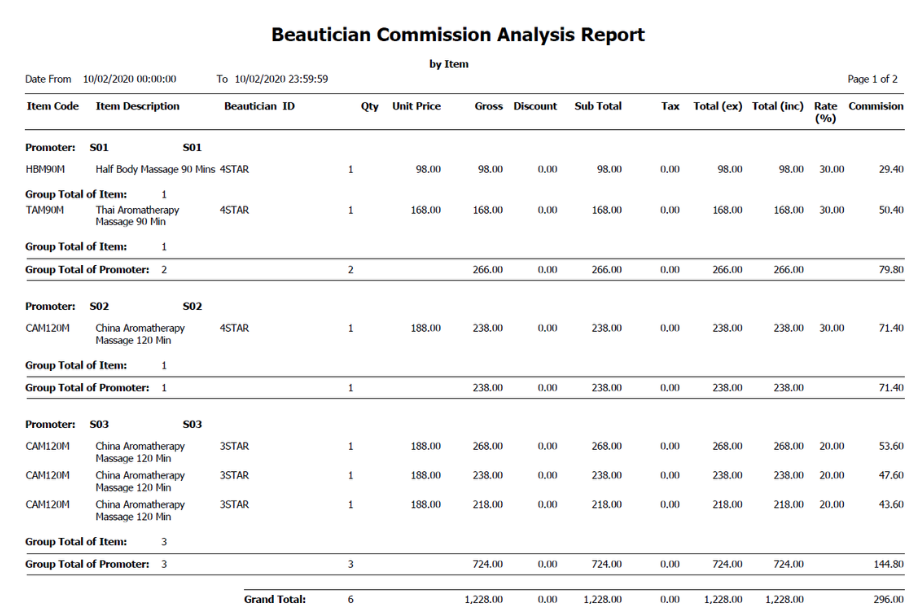
This is the core hub for business managers to acquire critical operational data, gain insights into performance, and make strategic decisions.
The AutoCount POS Report is meticulously designed to transform complex data into clear, actionable reports, helping you fully grasp the pulse of your business.