跳至内容

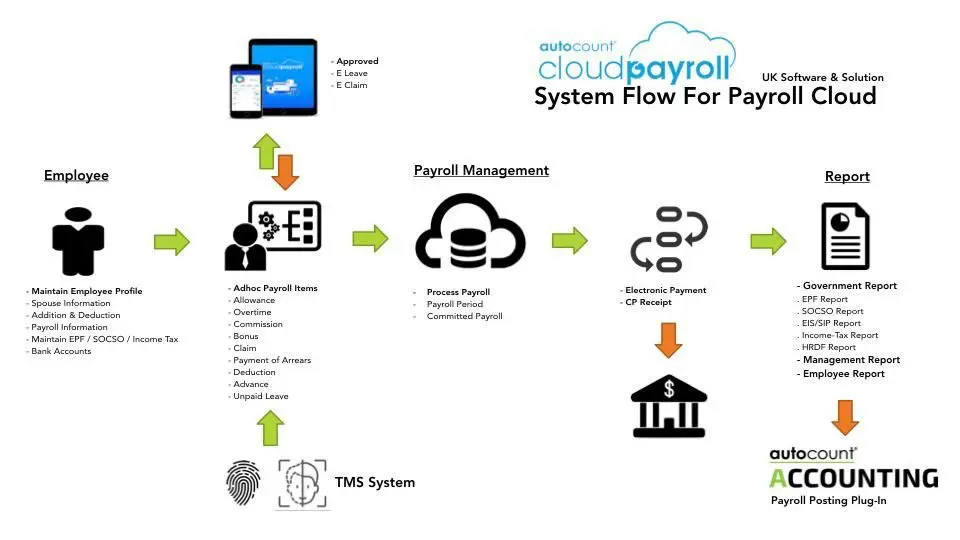
人力资源管理系统工资单图


Know the package
 

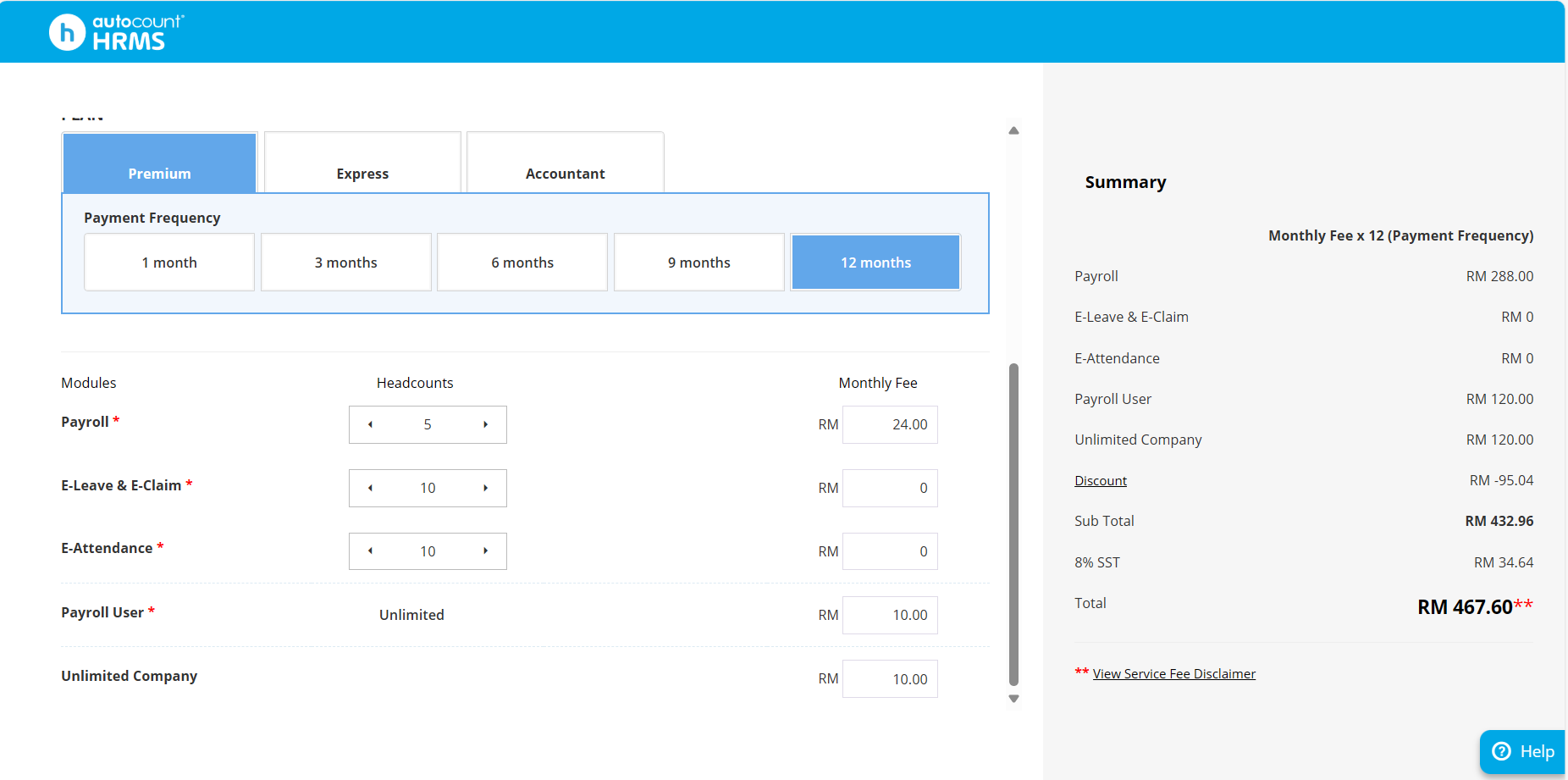
在AutoCount HRMS中,用户可以输入他们自己的员工人数(员工总数),系统会根据所选计划即时显示估算价格。此功能使公司更容易根据自身需求进行预算和比较订阅成本。

Package Fee Calculation


如何启动人力资源管理系统


步骤 1:如何注册

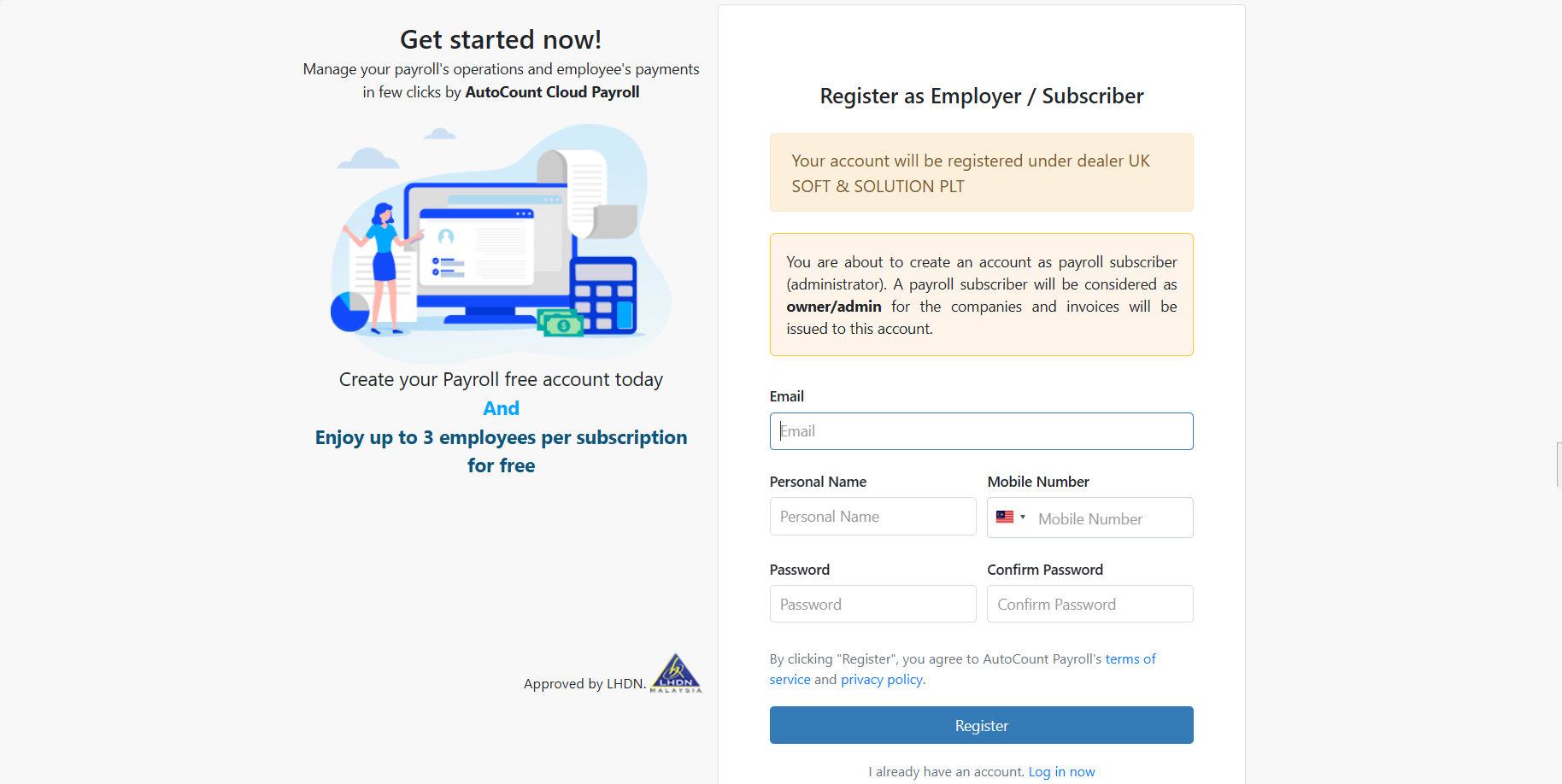
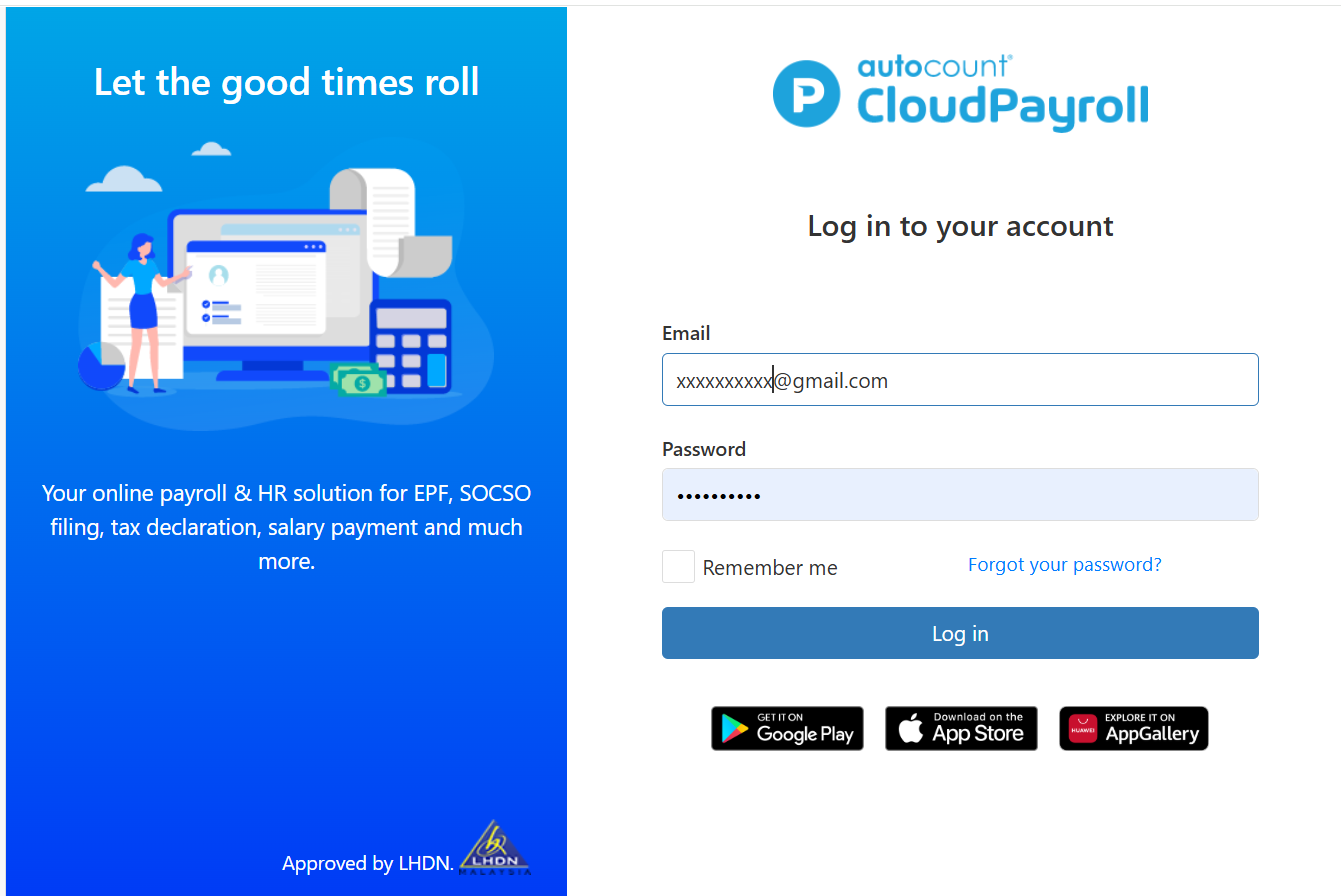
1.1 通过电子邮件注册您的工资账户。

注意:请仔细使用电子邮件进行注册,因为后续的每月/每年账单将发送到此注册的电子邮件。注册的电子邮件将被视为所有者/管理员


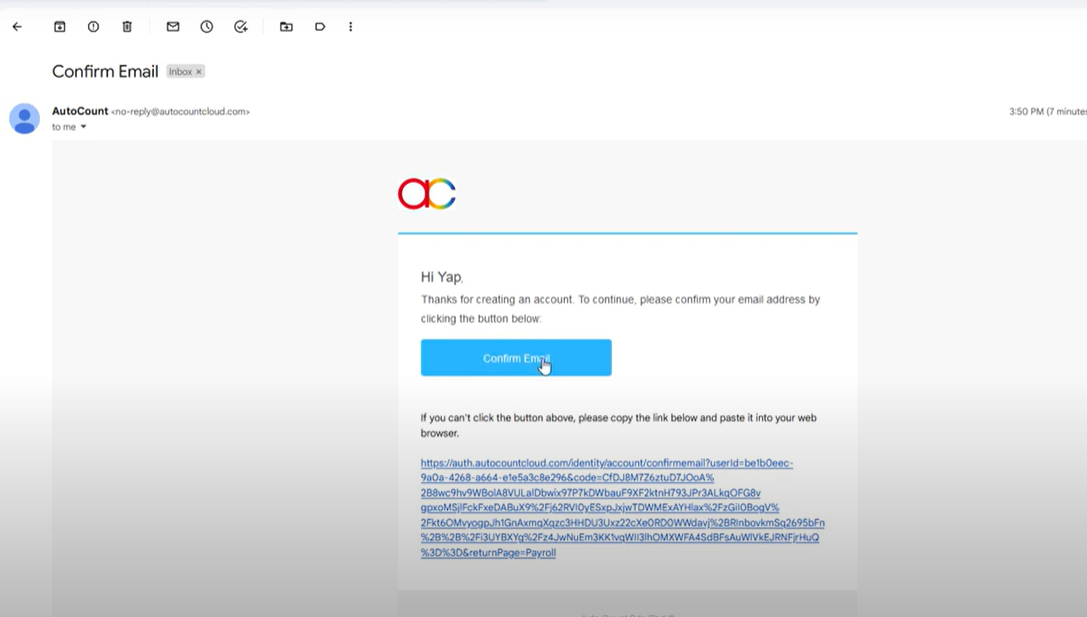
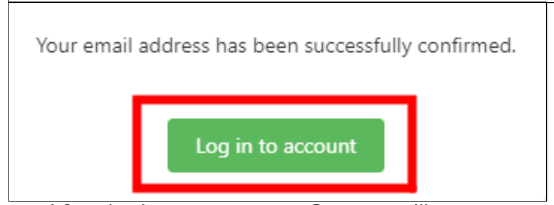
1.2 注册成功后,请前往您的邮箱确认邮件以激活云薪资账户。


1.3 登录账户后,系统将要求您创建订阅.


步骤 2:如何订阅

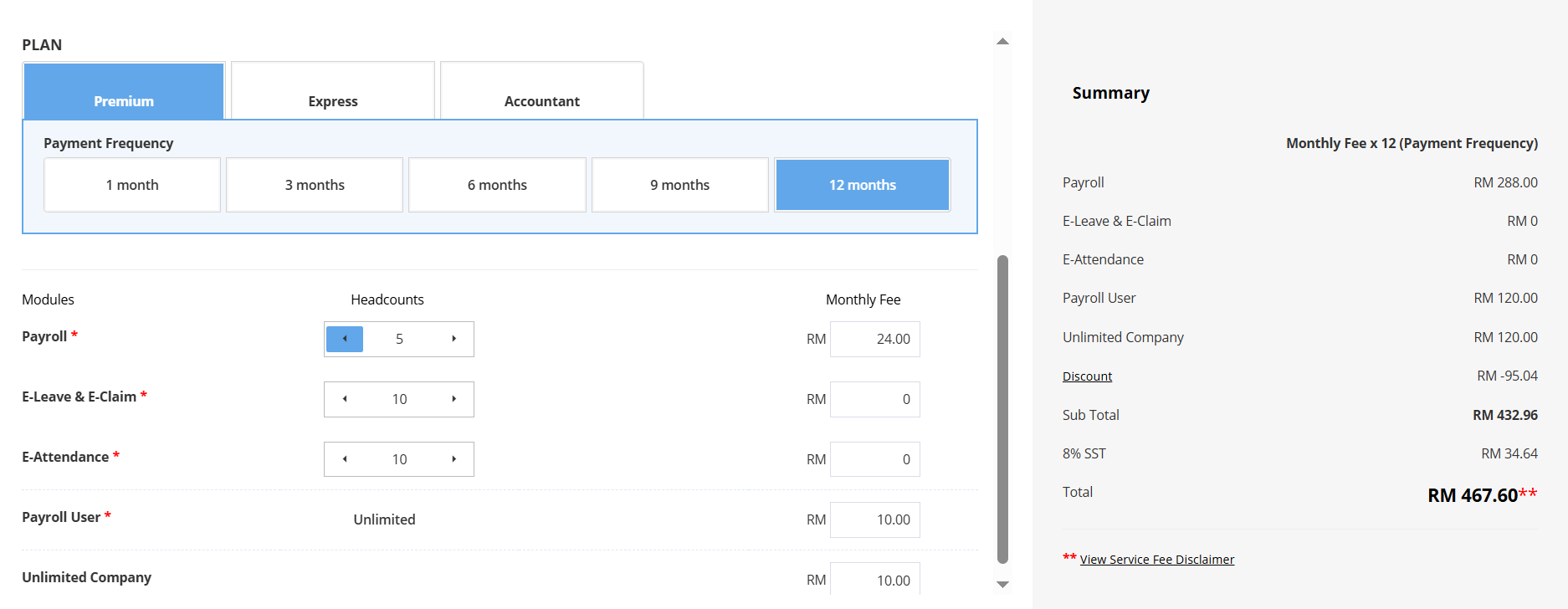
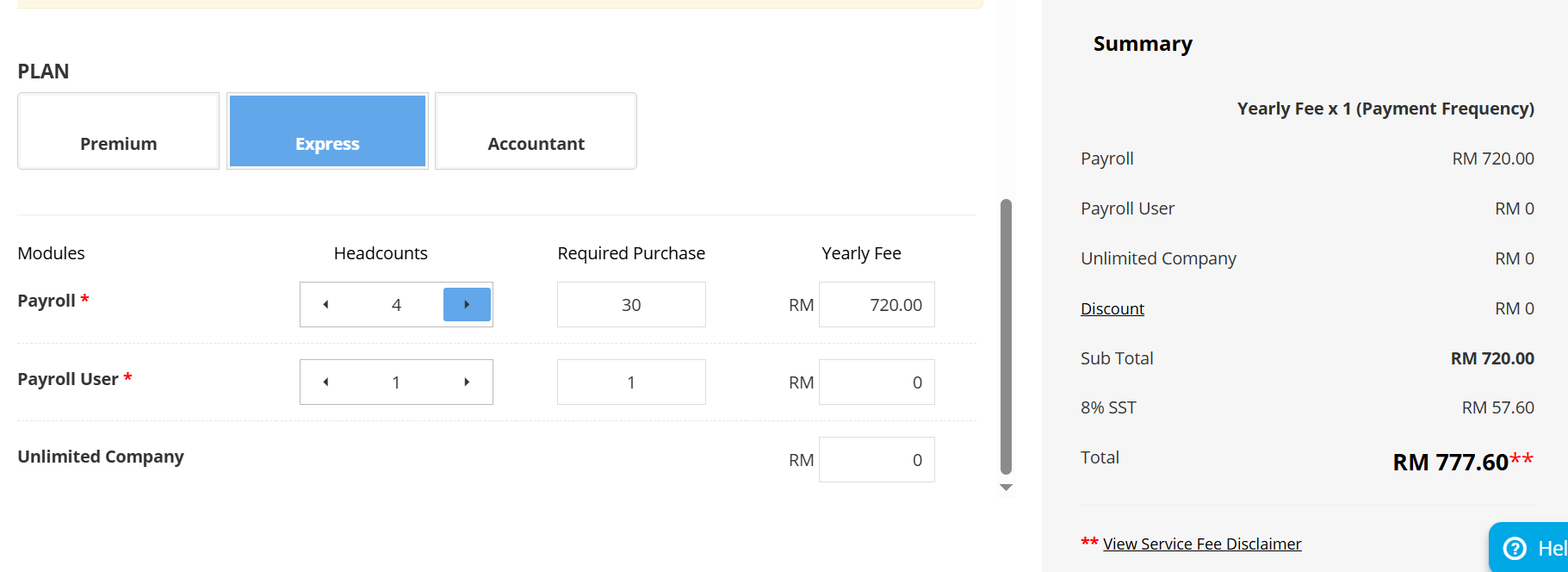
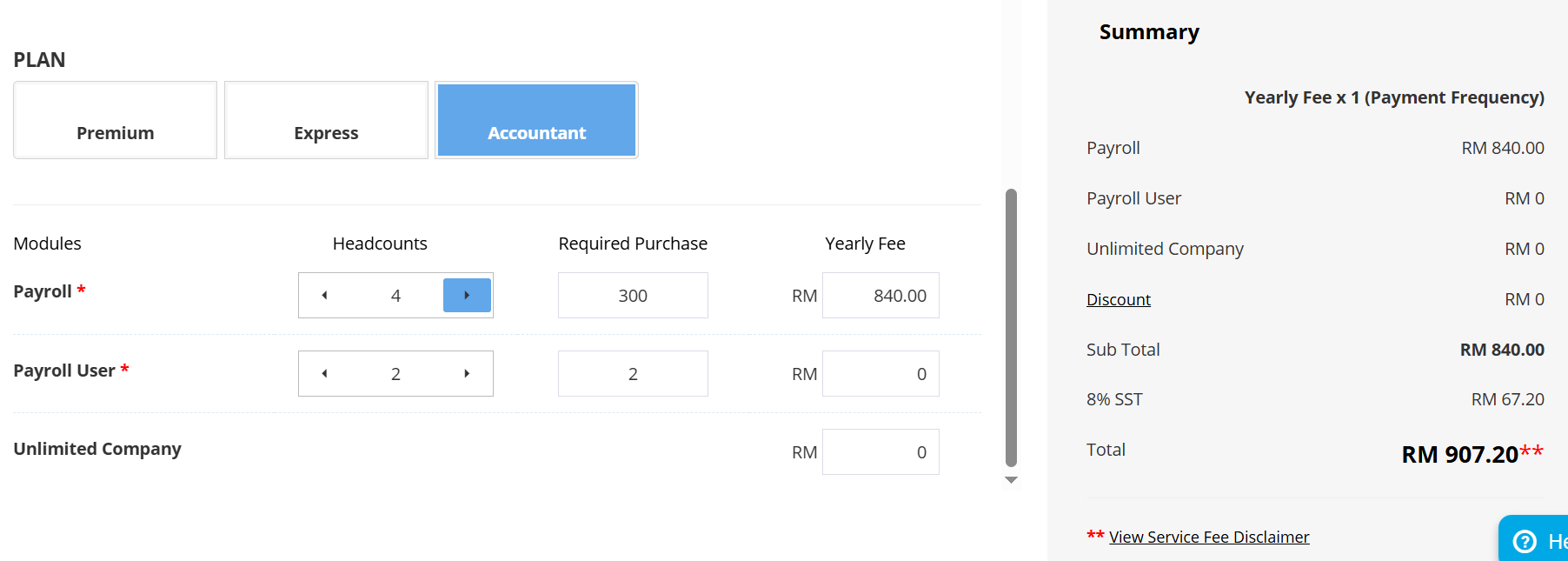
2.1 选择您的计划并插入所需的人数。

计划 

高级计划提供工资单、电子请假、电子报销和电子考勤功能。费用按月计算,并基于员工人数。


对于快速计划,它仅提供薪资功能。费用按年计算,并基于所需的最低购买人数(30、70、120……)


对于会计计划,它仅提供工资功能。费用按年计算,并基于员工人数的最低购买要求(300、450、600……)


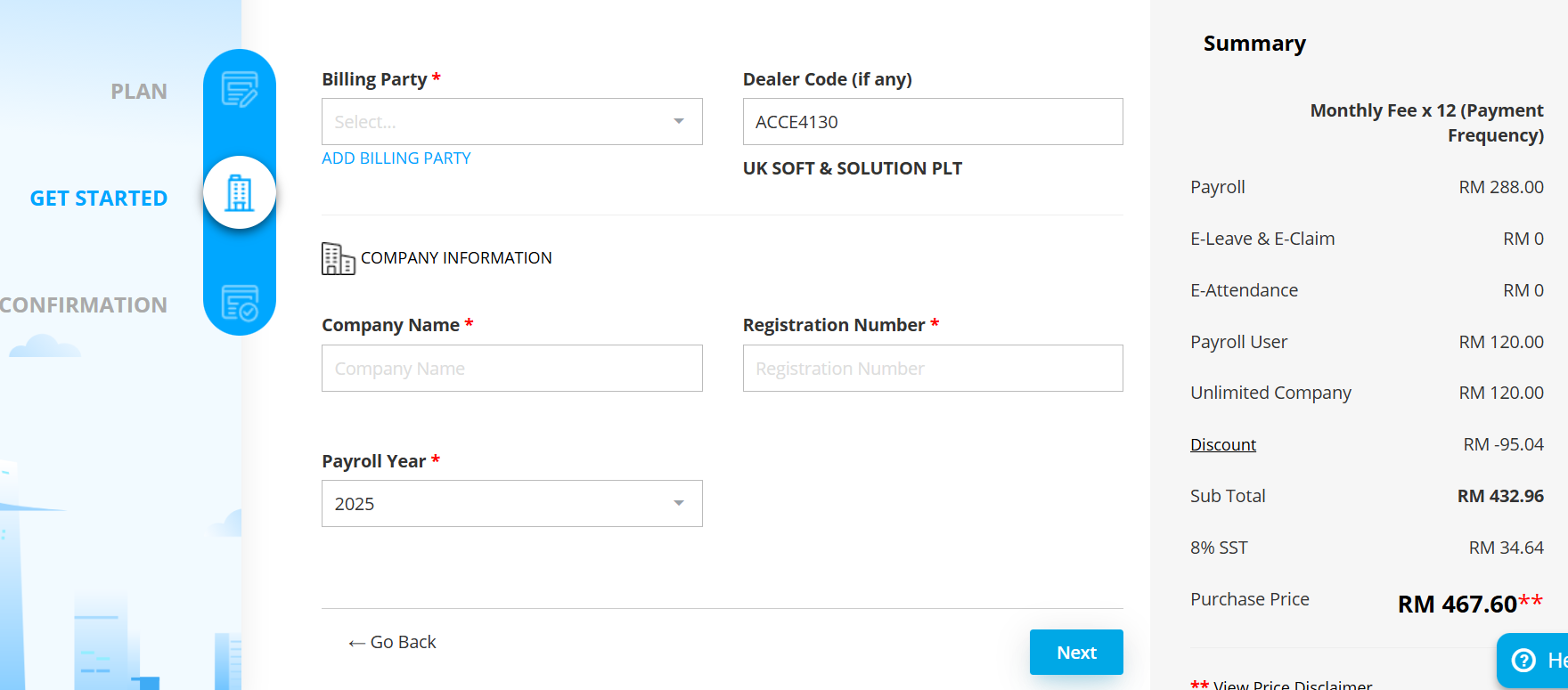
2.2 填写您的订阅付款账单方、公司名称、注册号码和工资年度。


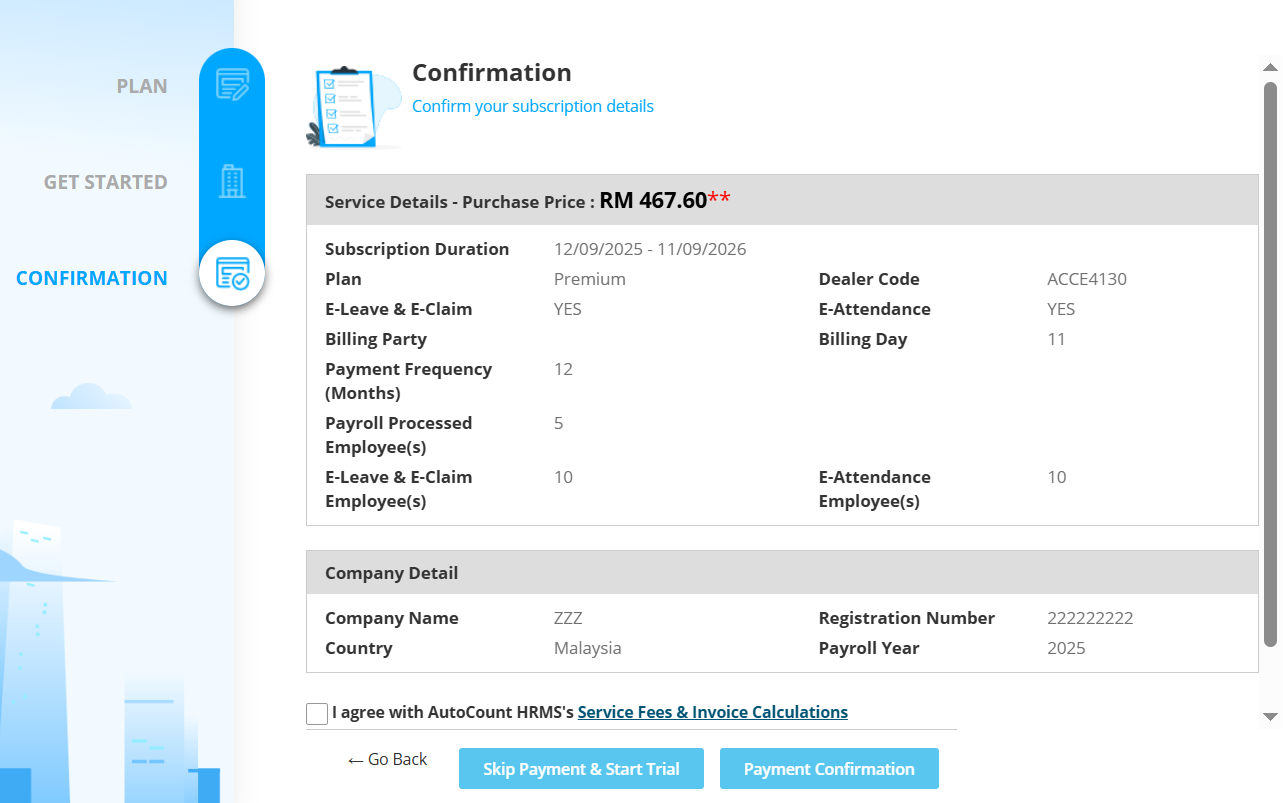
2.3 确认您的计划和公司详情。点击支付确认。


步骤 3:首次设置

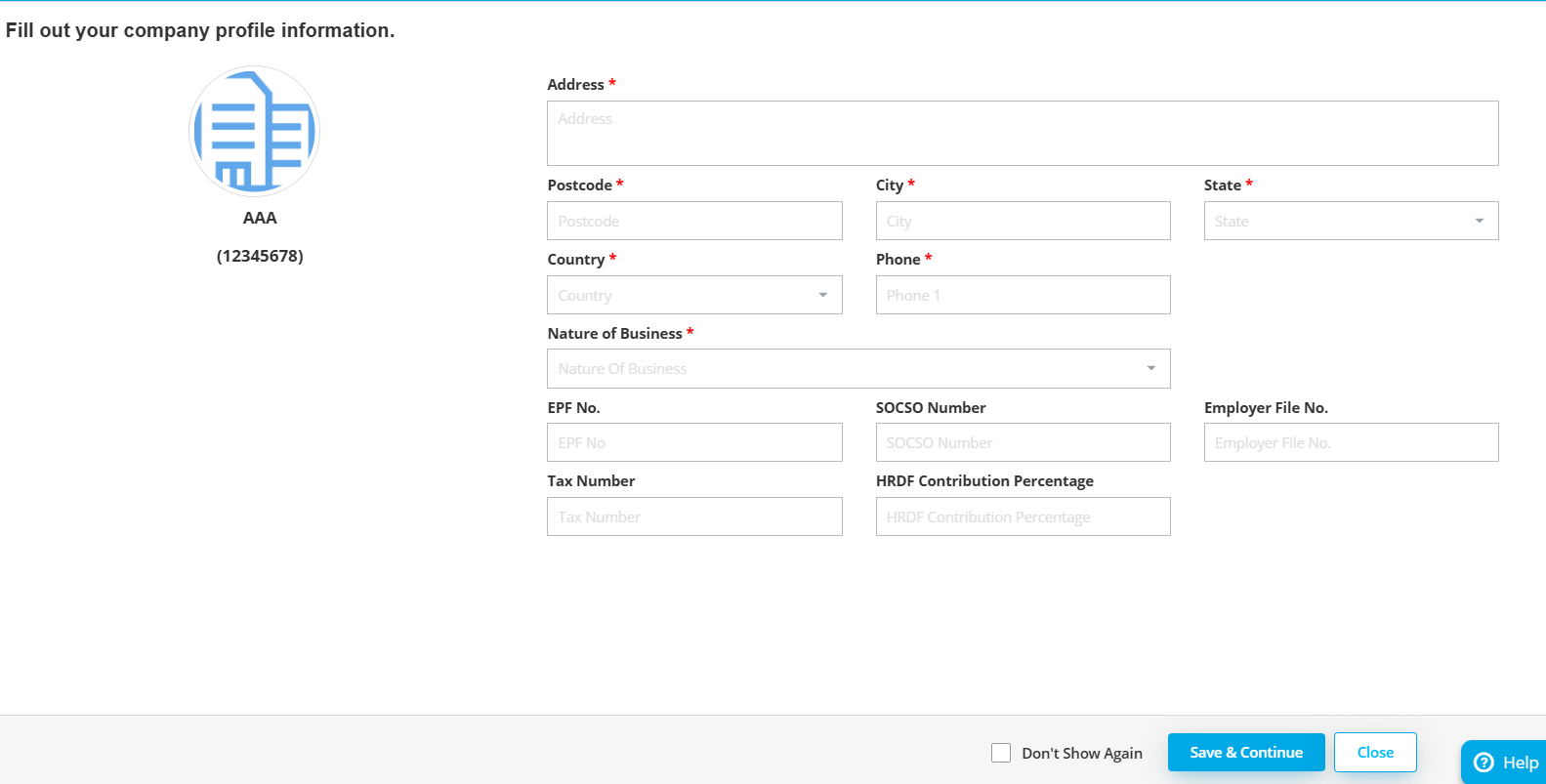
3.1 填写您所有的公司资料信息。


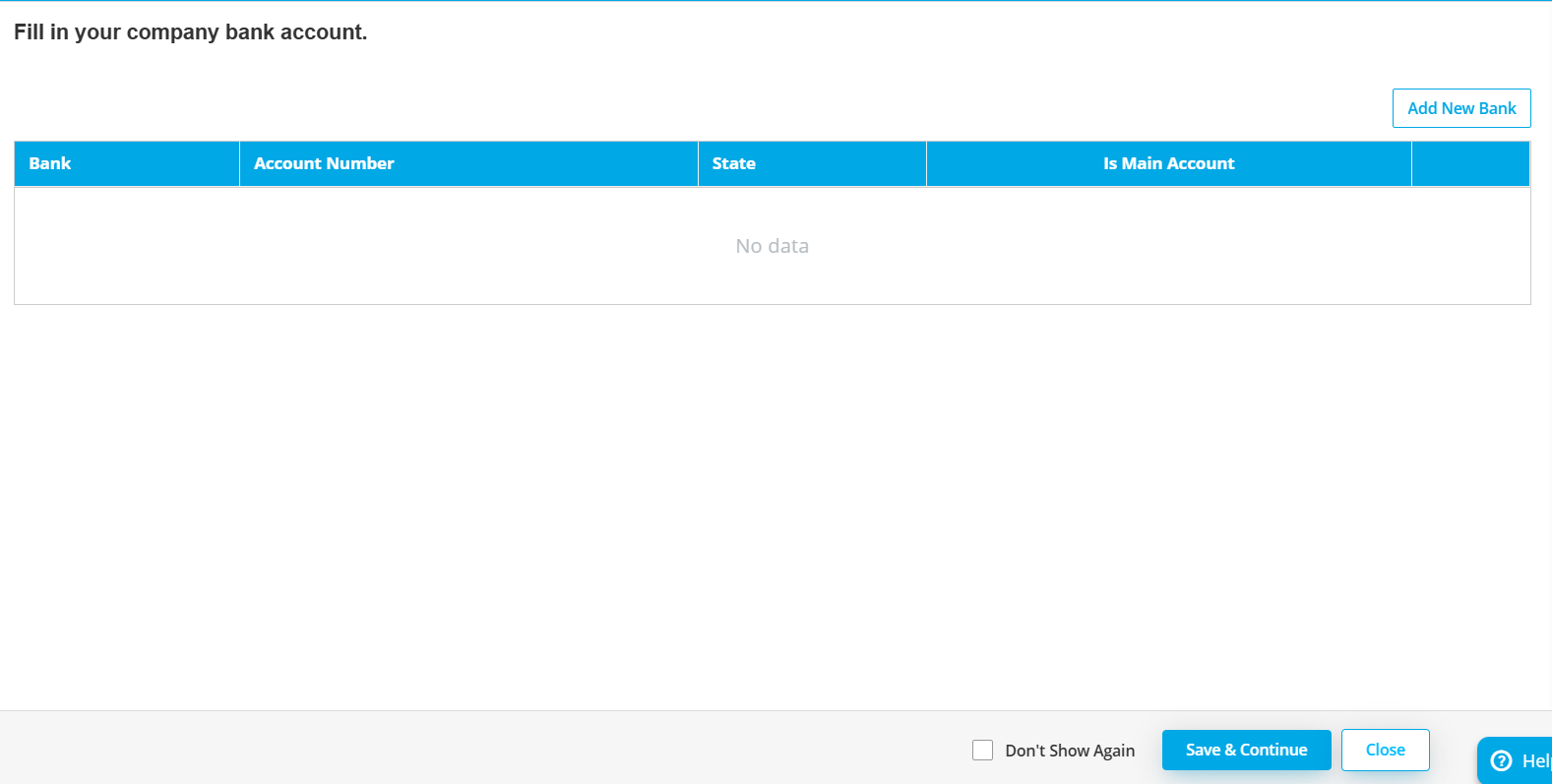
3.2 在这里您可以创建公司银行账户。(可以有多个)这些账户将用于在处理工资后生成员工薪资的批量支付。


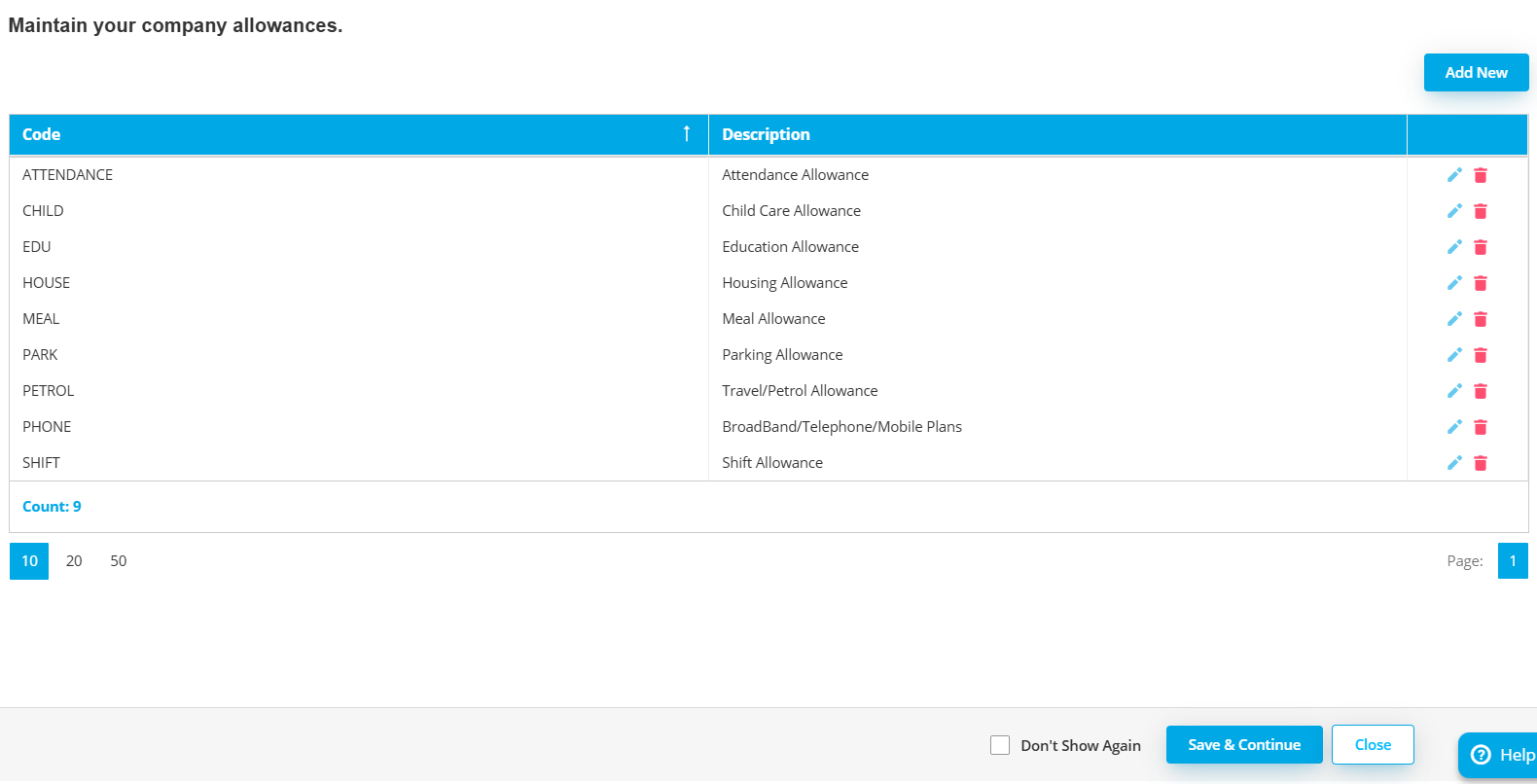
3.3 维护您的公司津贴。


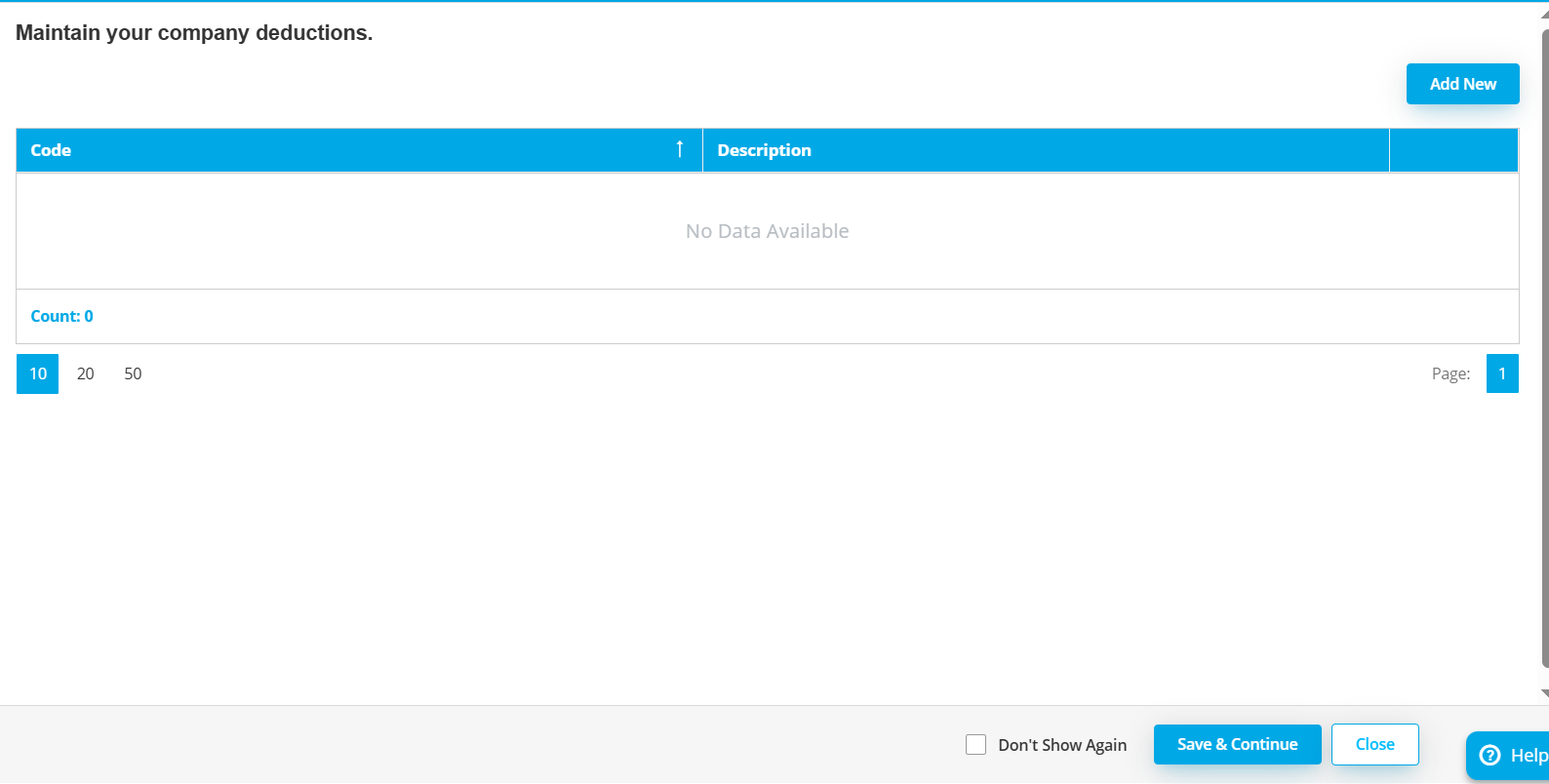
3.4 维护您的公司扣除。

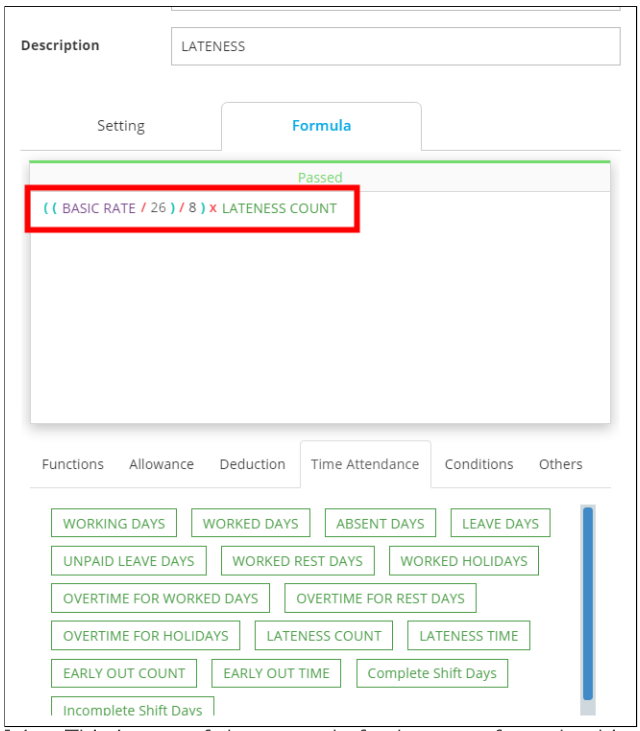
这是迟到公式的一个示例,此部分在扣除中可用。注意:只有高级套餐能够手动调整/自定义公式。


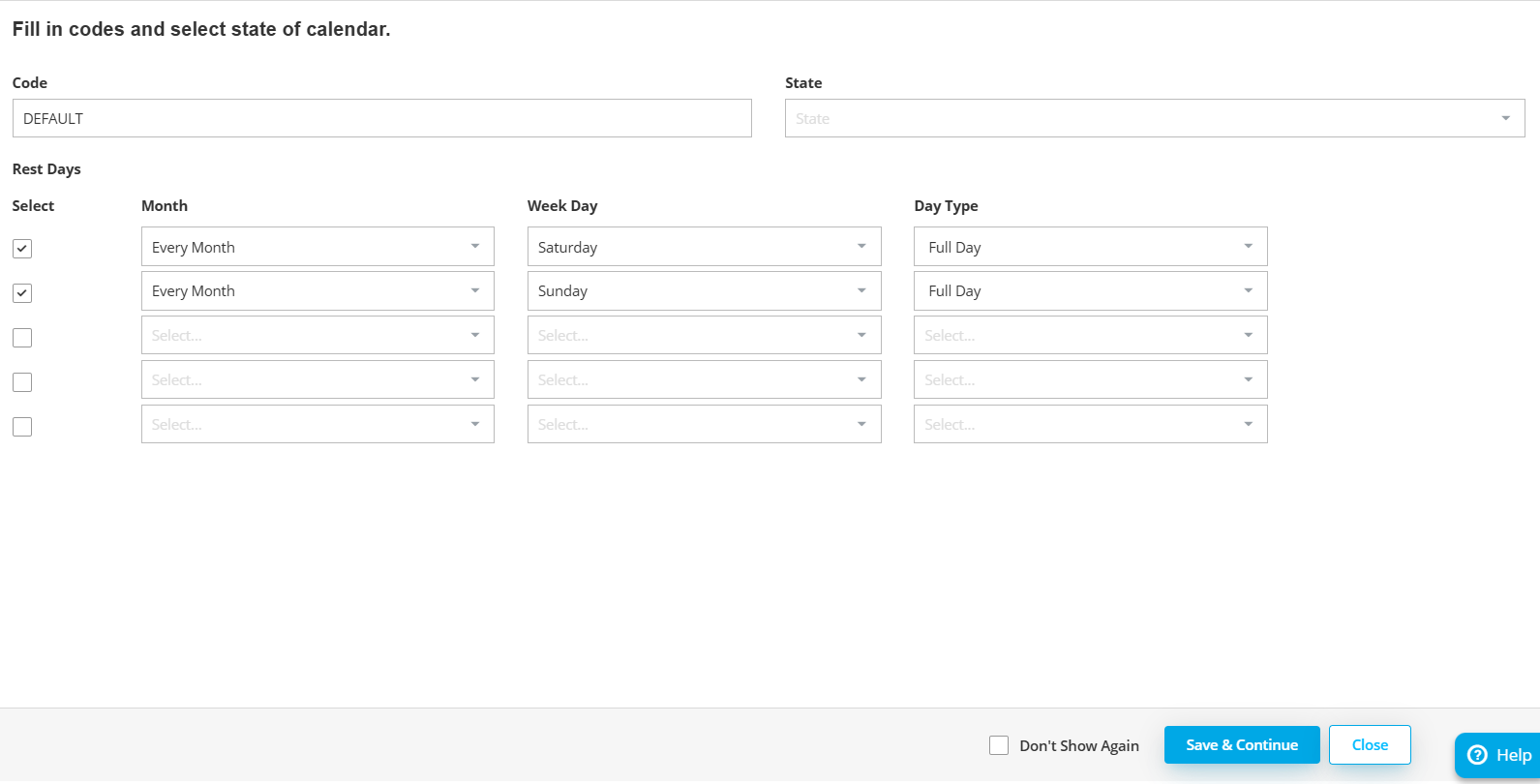
3.5 设置您的公司日历。您可以在此部分设置公司休息日。注意:如果星期六是半天班,您可以将日期类型设置为下午,因为这意味着休息日将在晚上。


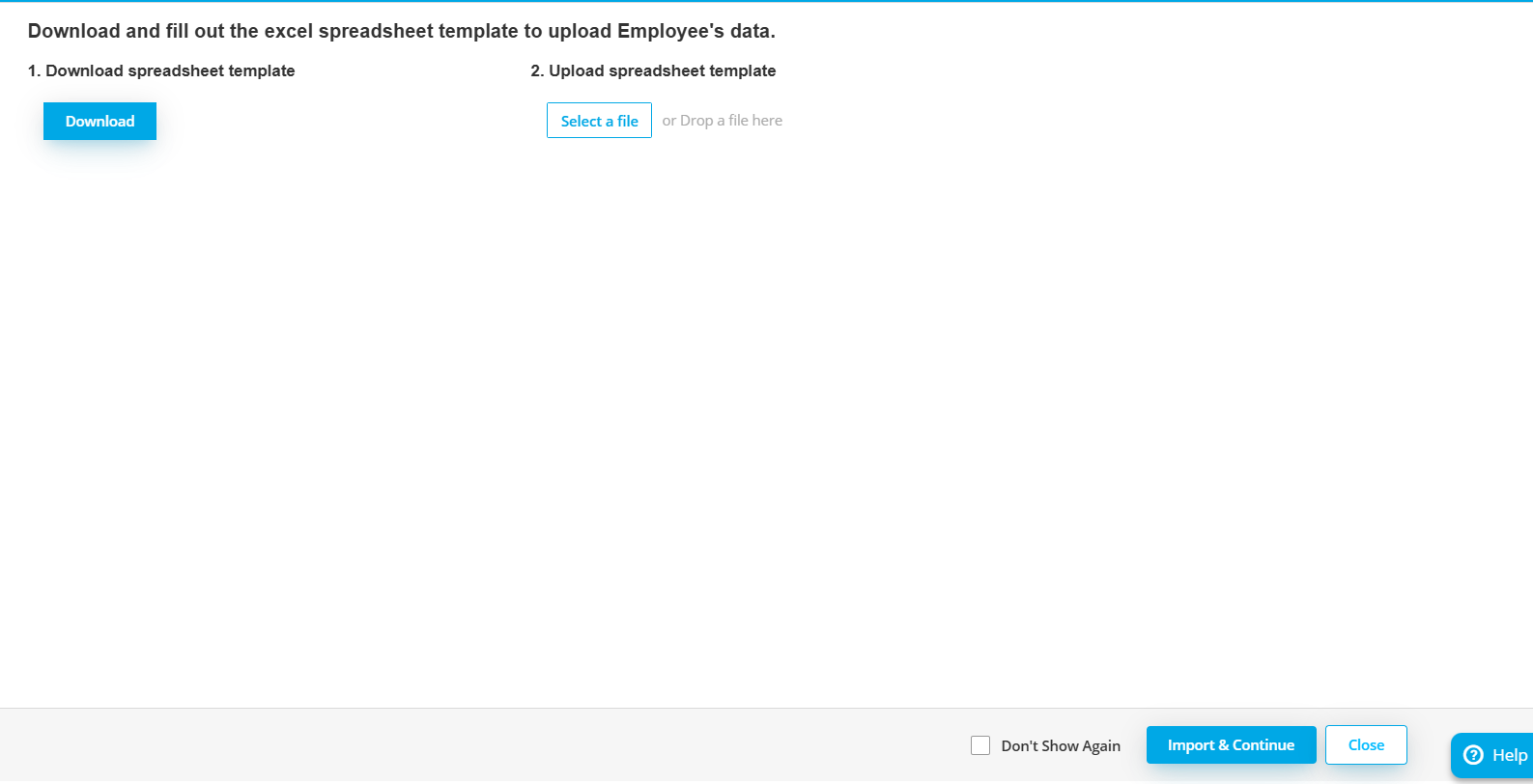
3.6 在本节中,您可以下载 Excel 模板以导入员工,或者您可以在之后手动创建员工


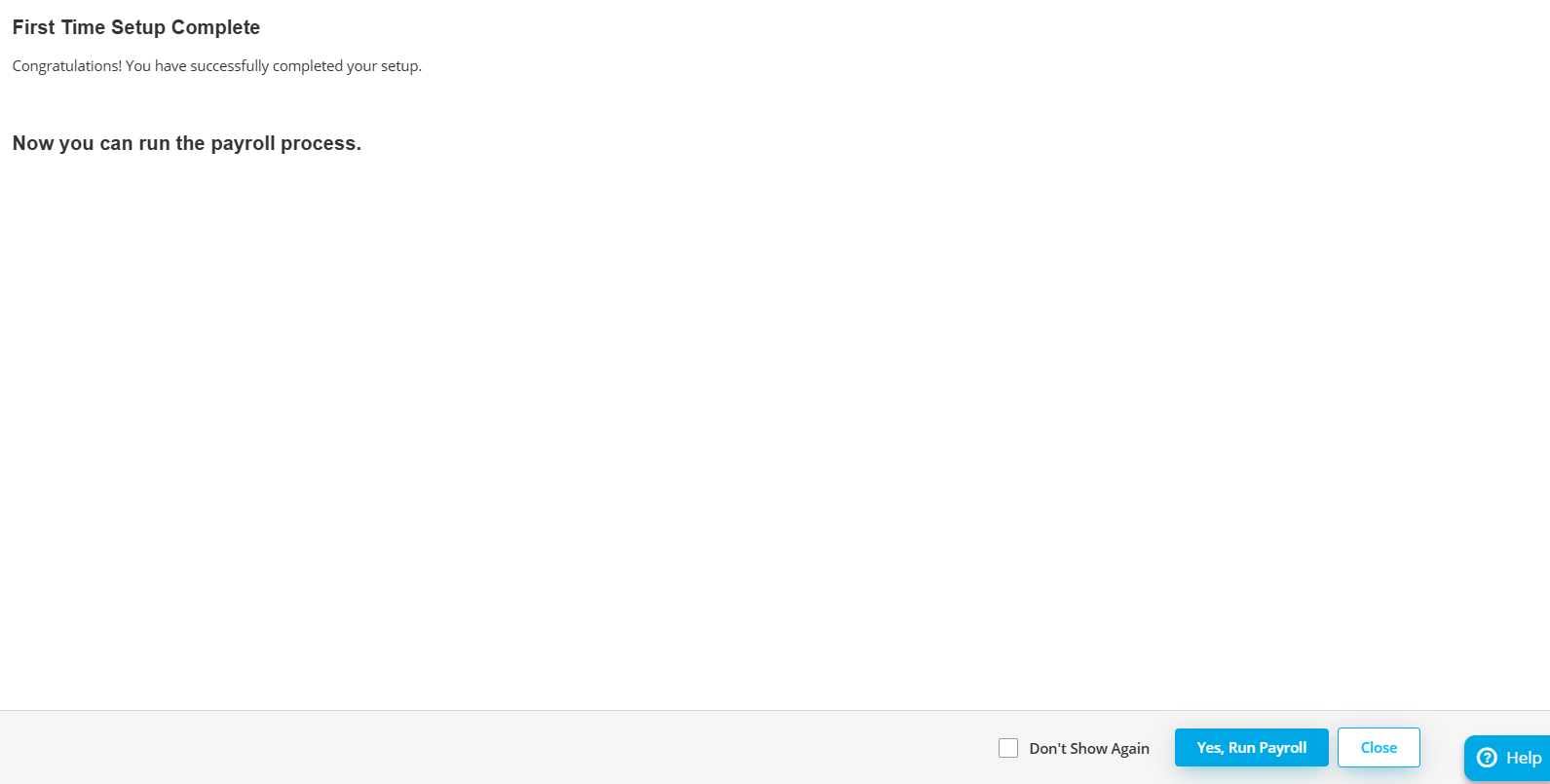
3.7 首次设置已完成,现在您可以运行工资处理流程。


Step 2.1: How to create employee manually

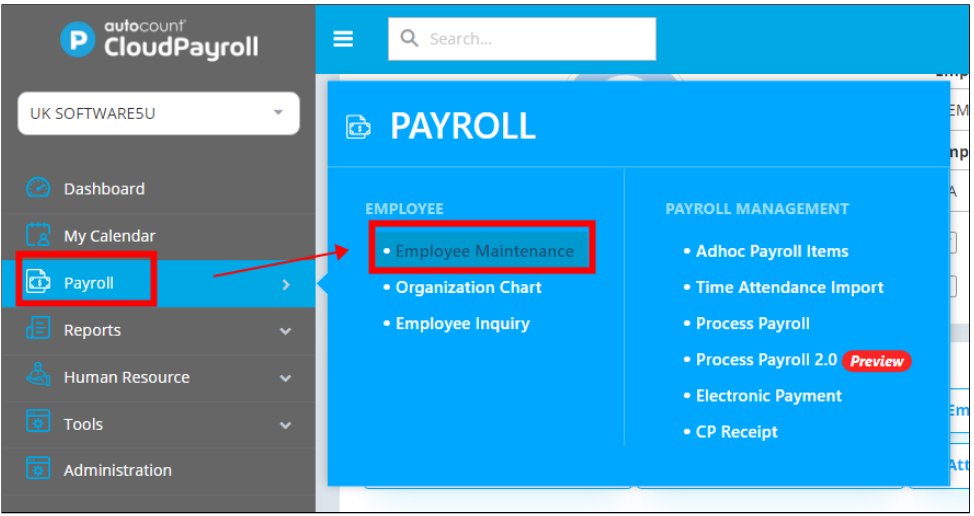
2.1.1 To create Employee manually, go to Payroll > Employee Maintenance.


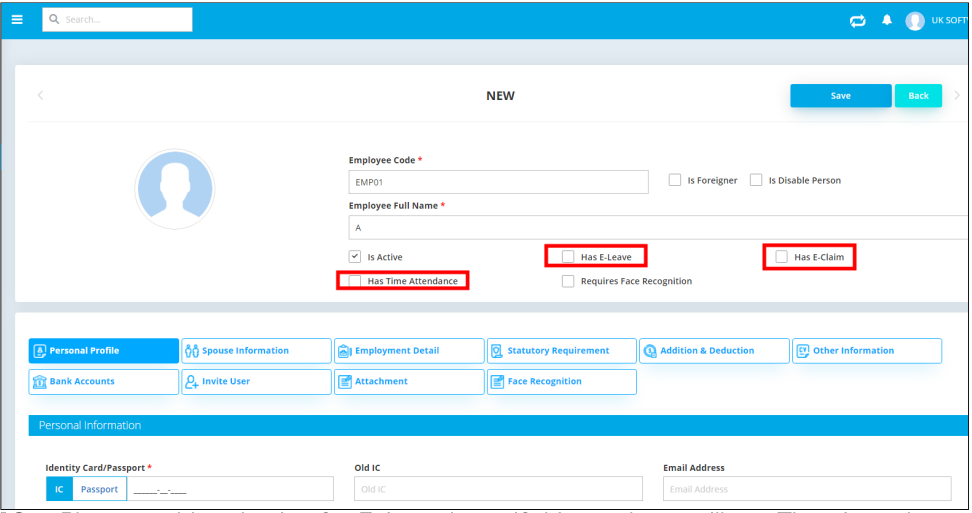
2.1.2 Fill in all the information of the employee. Please enable selection for E-Attendance if this employee will use Time Attendance feature in AC Payroll (Mobile App). Remember to click the save button.


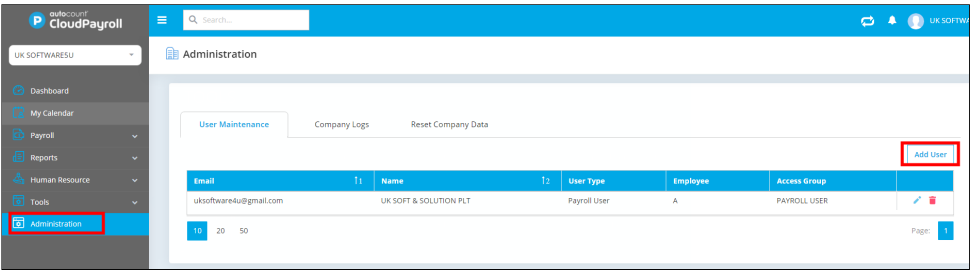
2.1.3 Please access to Administration > Add User to invite employees to use Cloud Payroll via Email. Key in employees' email address > Assign which Employee.


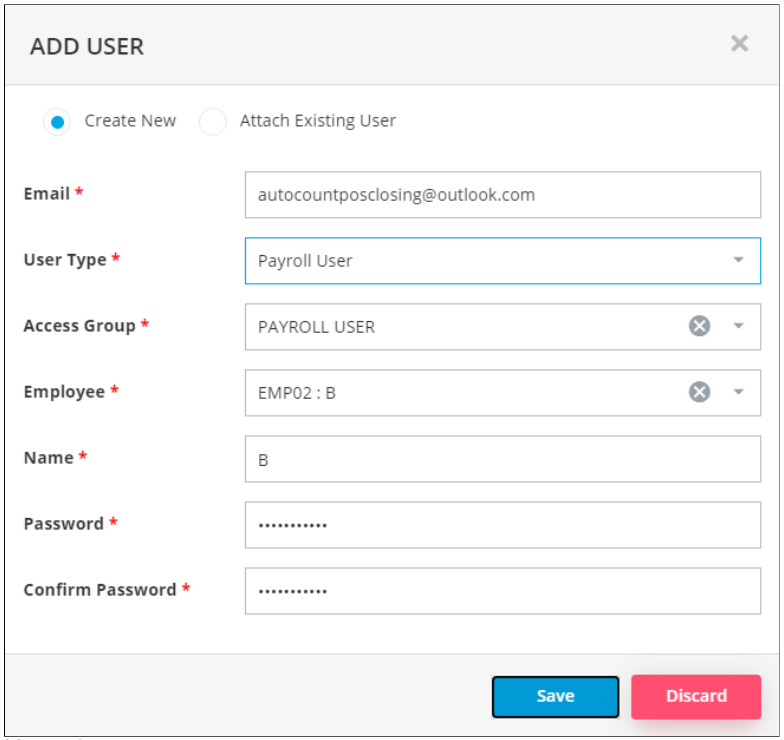
2.1.4 In Create New section, key in employees' email address > Assign which employee > Assign password for them (They may reset via Forgot Password in login screen of Cloud Payroll).


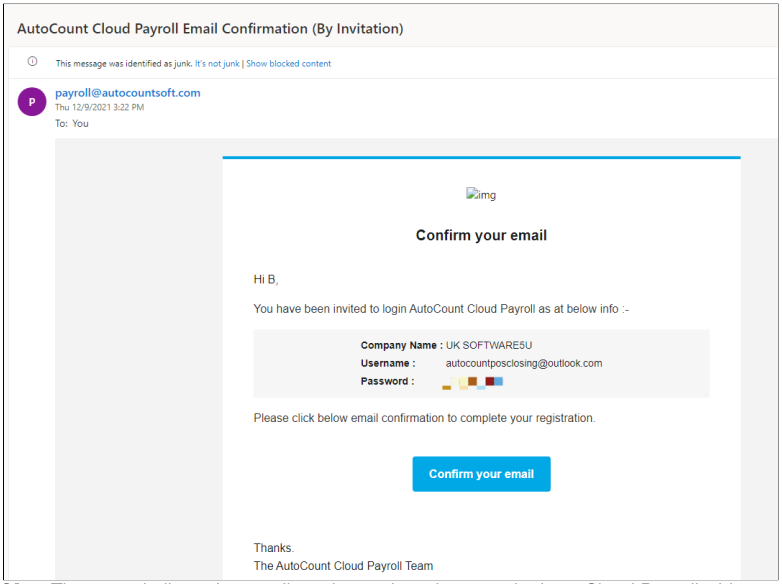
2.1.5 Then, the user shall receive email as above, then they may login to Cloud Payroll with preset password.

注意:用户可以在云薪资的登录屏幕上点击“忘记密码”来重置密码。 


Step 2.2: How to process payroll

2.2.1 Click on the process payroll under payroll management.
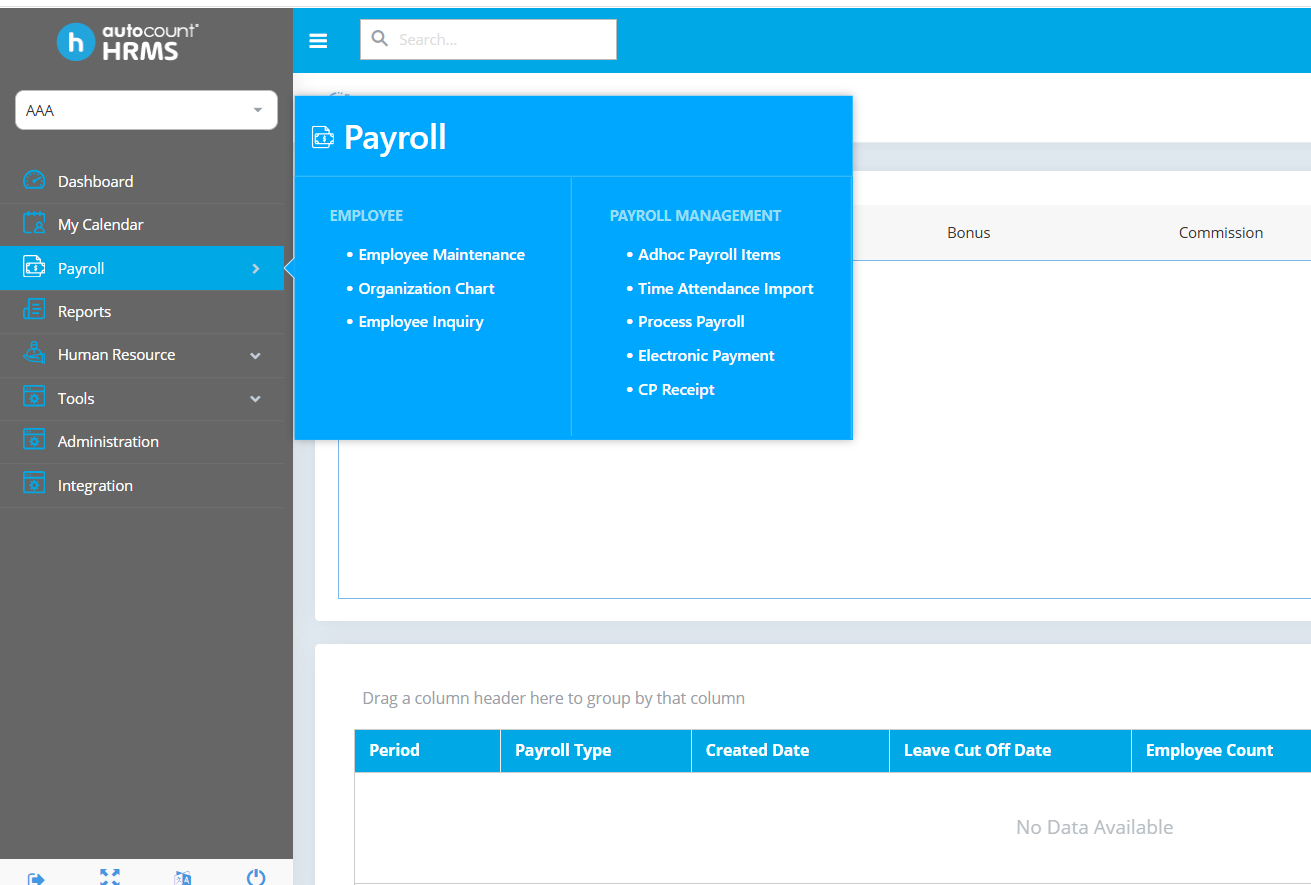

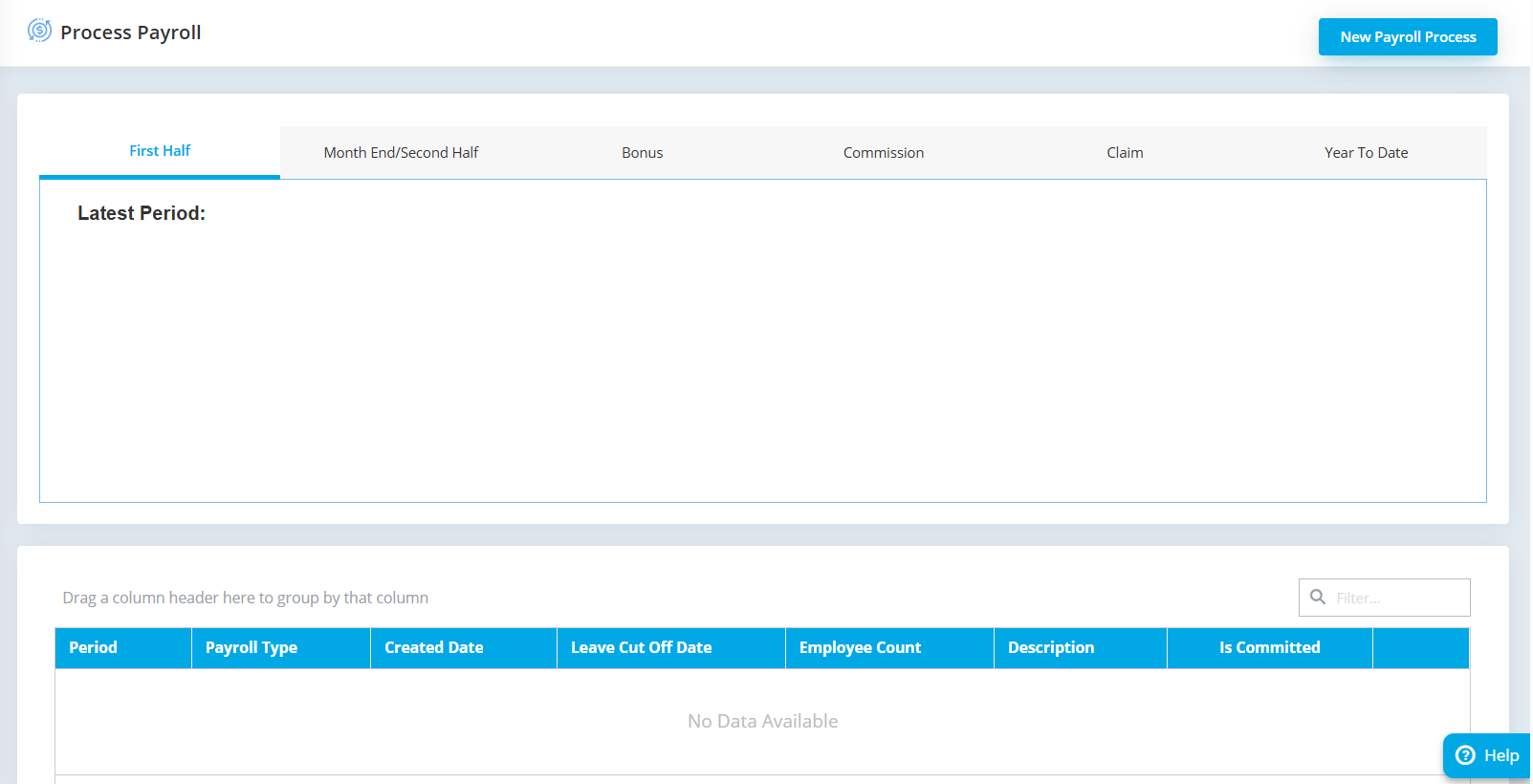
2.2.2 Click the new payroll process on the top right.

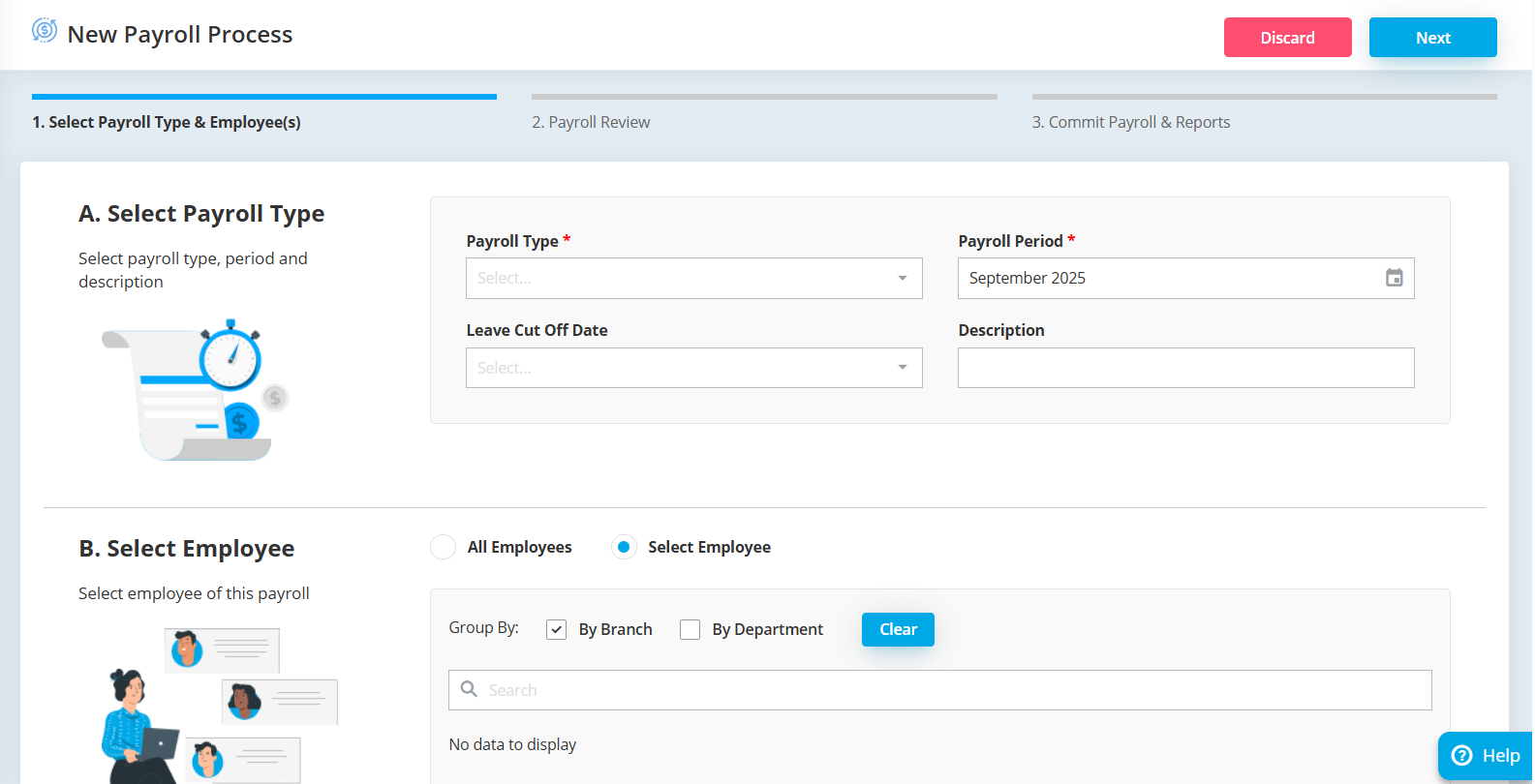
2.2.3 Select the payroll type, period and employee. Click on next button.

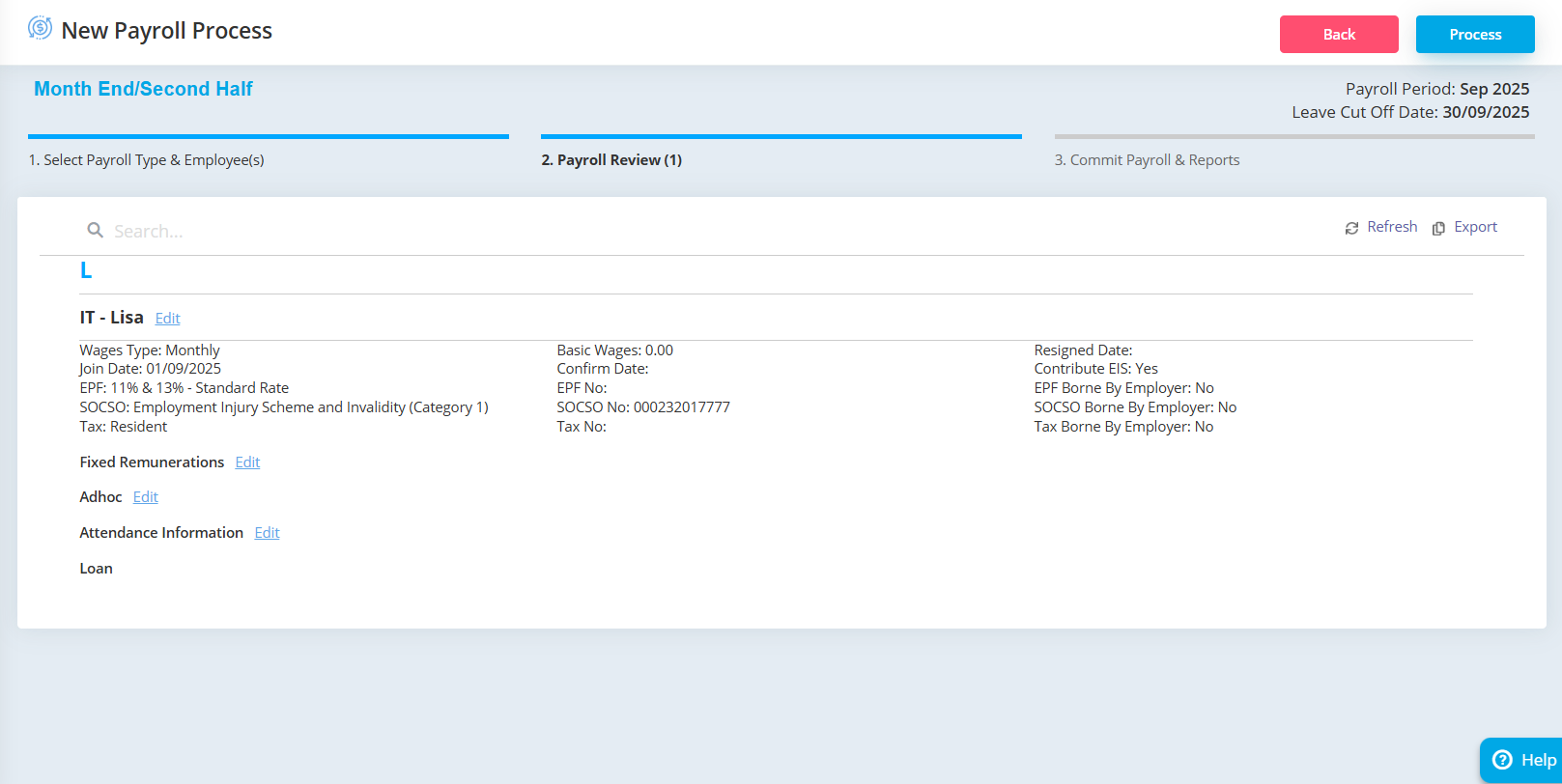
2.2.4 System will show the details here and you can still edit some details here. Next, click on process button.

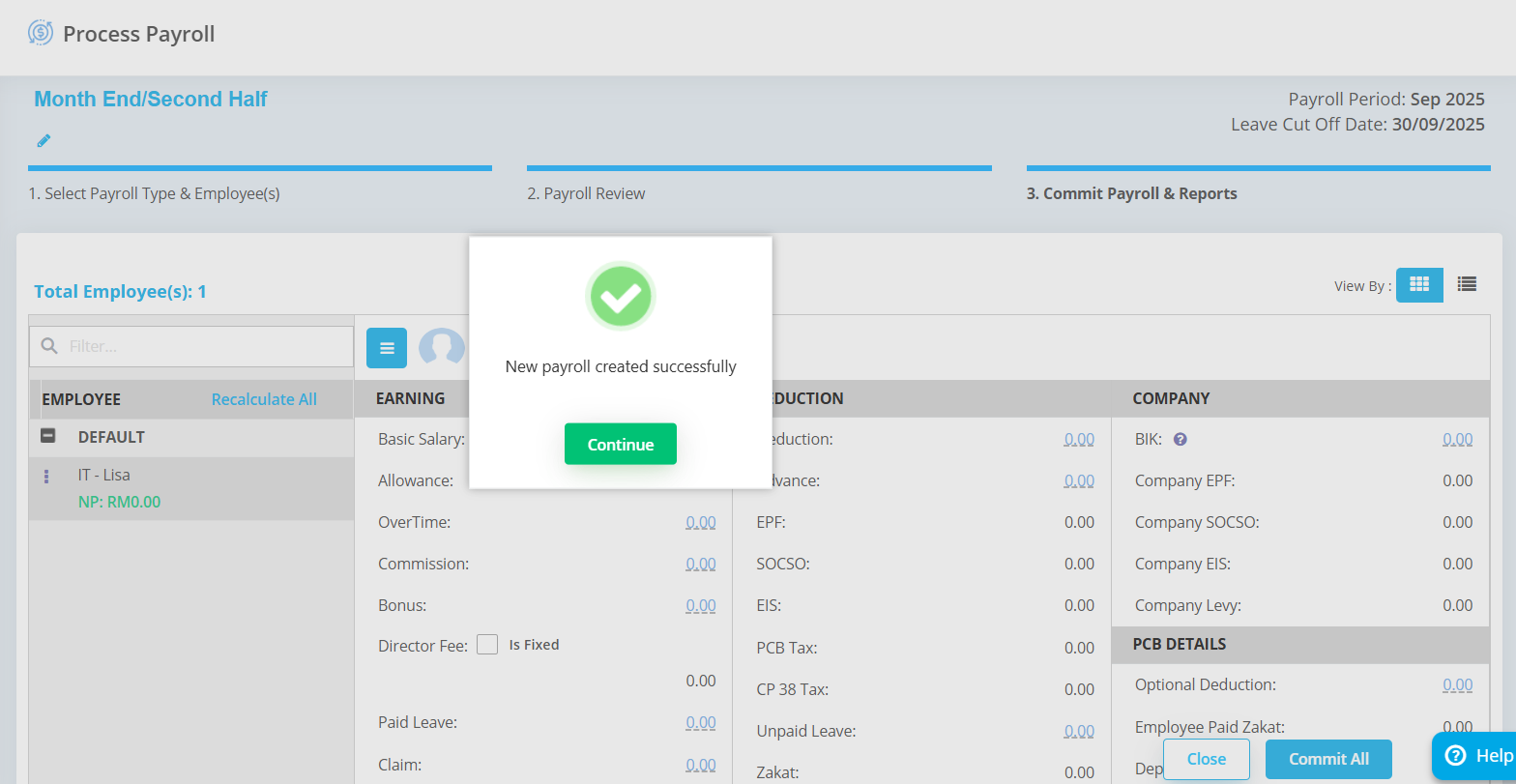
2.2.5 System will show the payroll is created successfully.

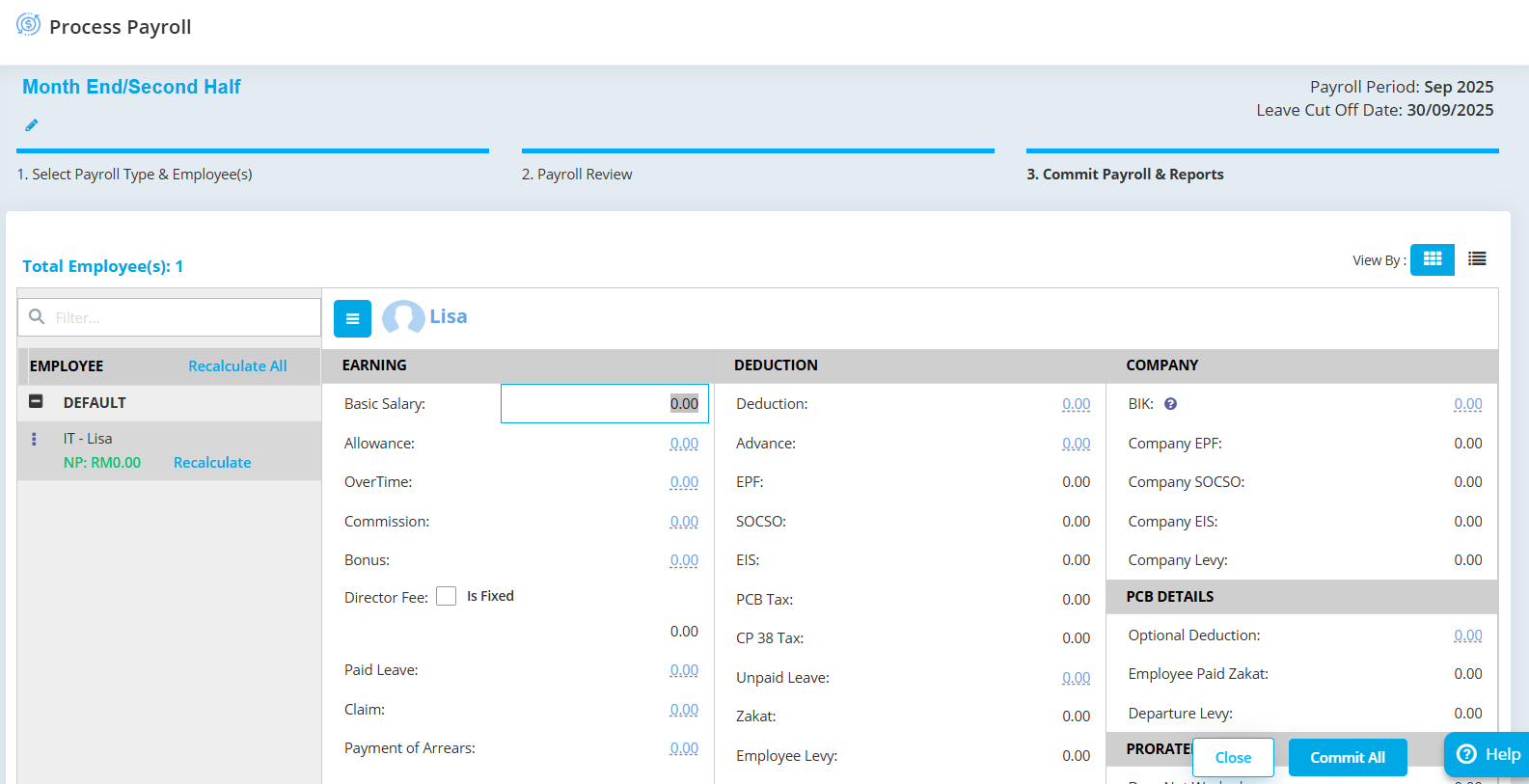
2.2.6 You can double check for the details here and still can edit the amount by double click it. If you have do any changes, you need to click on the recalculate below the employee.

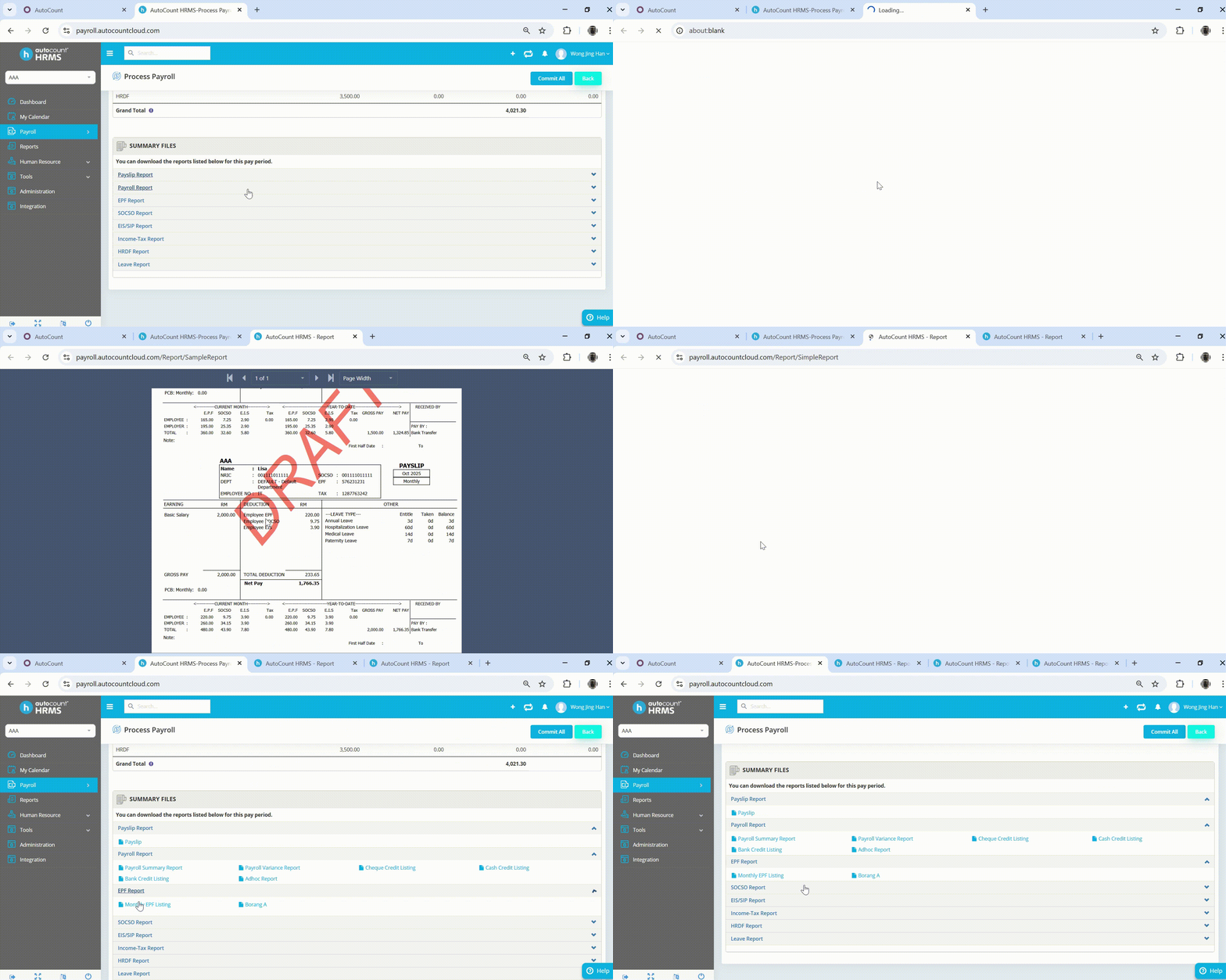
2.2.7 You can also view all the report here. Then, click on the commit all button and the payroll process is successful.


Step 2.3: How to process electronic payment

2.3.1 Click on the electronic payment under tools.
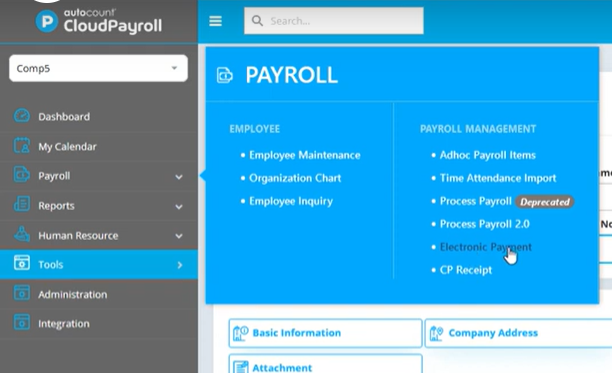

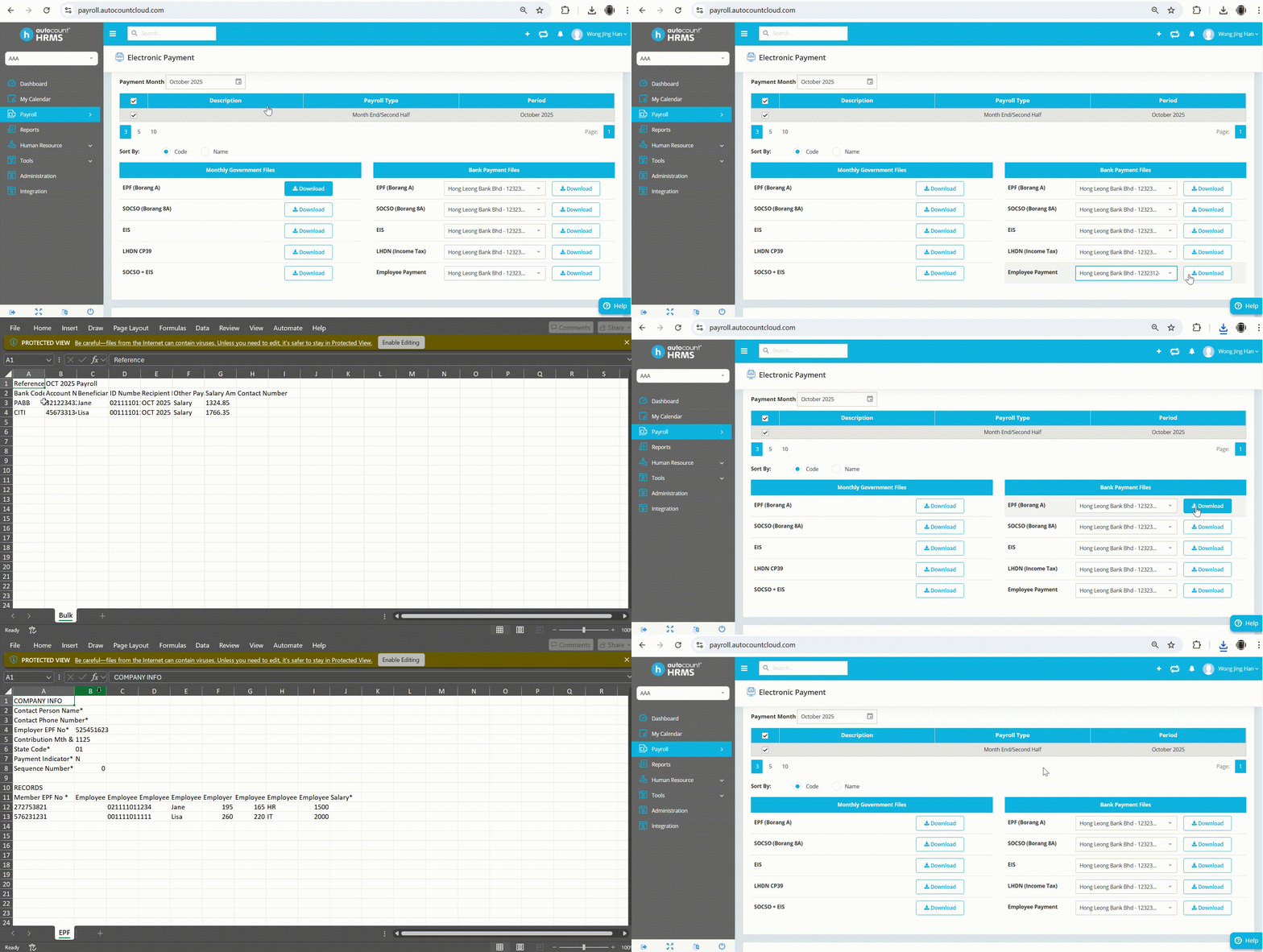
2.3.2 Choose the bank account on the bank payment files and click the download button. Next, upload the file to related bank to process the payment. 

Note: For the tax (EPF,SOCSO,...), you can also download the files under monthly government files and pay it through the related government website.


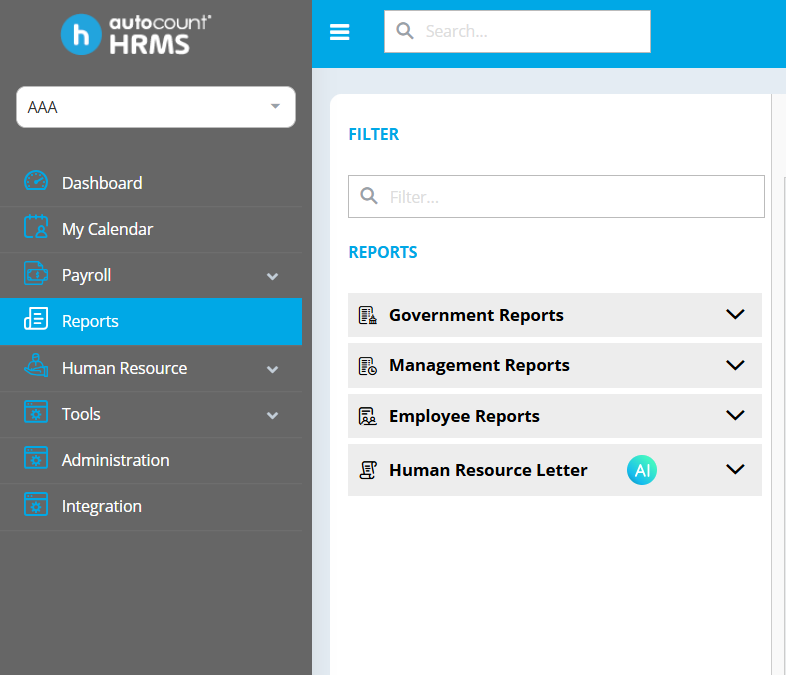
Step 3.3: How to view reports

3.3.1 Click the reports on the bar left side.

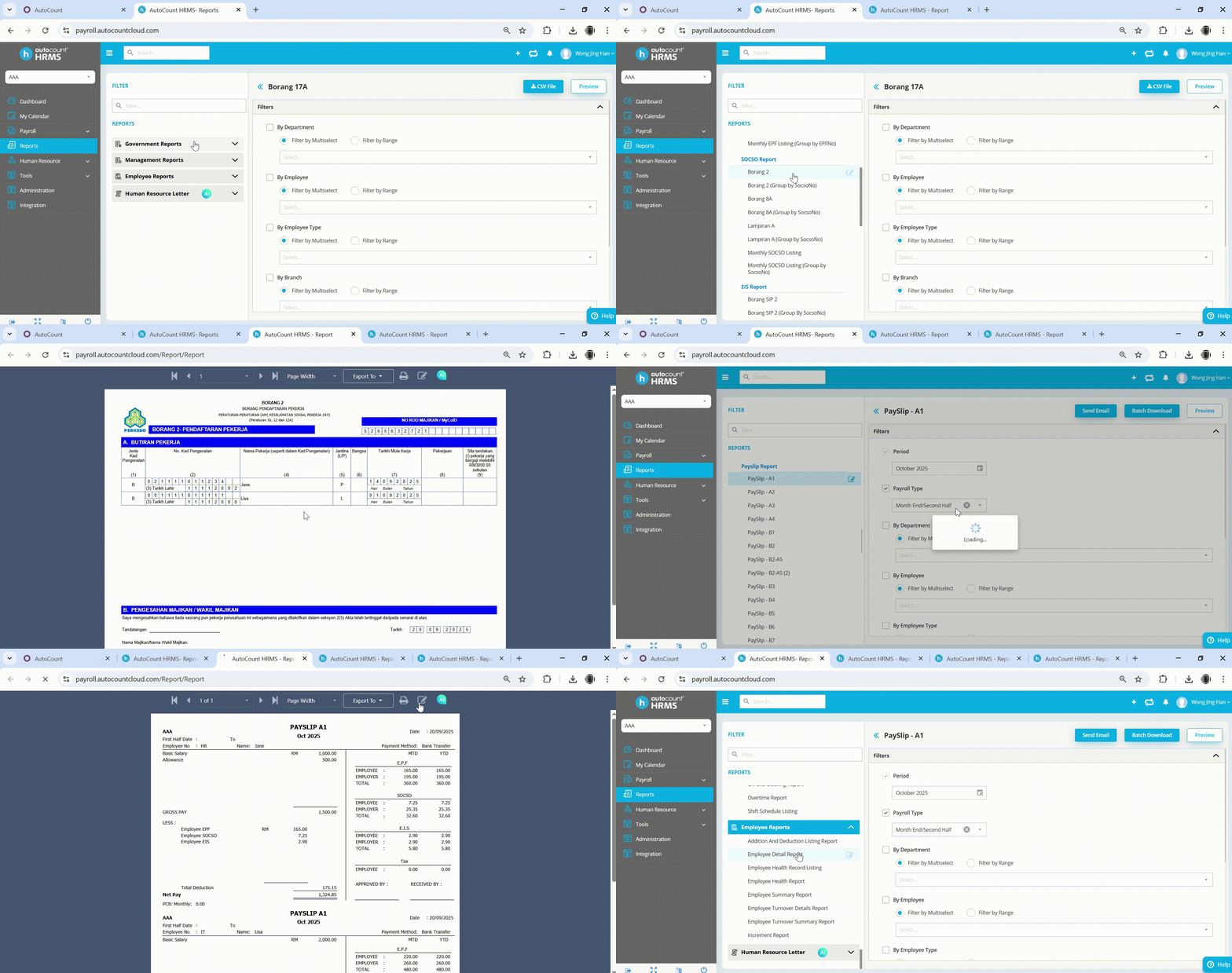
3.3.2 Select the reports you want and tick the information needed. Click the preview or download button. You can also customize the report.


HRMS eLearning

有关更多详细的教程视频,请点击下面的按钮。

HRMS e-Learning


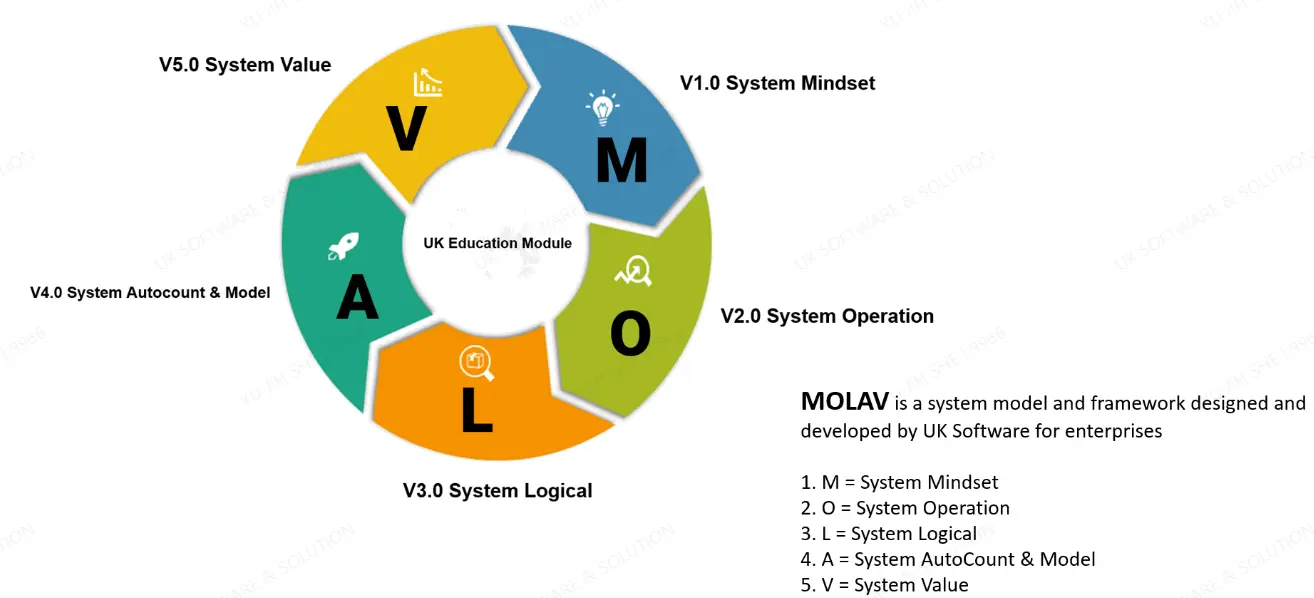
Let’s use MOLAV to help your business grow.


Plan Now

系统心价值

AutoCount 作为领先的 商业系统解决方案提供商

其核心价值在于构建一个无缝连接线上与线下、拥有多元化模块
可灵活插件扩展并支持强大定制化的综合平台。

这使得它能够为从零售业到制造业等各类企业
打造出高效且量身定制的系统管理解决方案


On Premise Product
Cloud Based Product

AutoCount Accounting 的定制化与可扩展性

AutoCount Accounting 提供高度的定制化和可扩展性,使其成为各种规模企业的理想解决方案。无论您是小型初创公司还是大型企业,该软件都可以精确定制,以满足您独特的运营和财务要求。

企业可以从基本功能开始,并随着业务的扩展逐步集成更高级的模块,确保它们始终拥有正确的工具来有效管理财务。

这种灵活的方法使组织能够无缝适应增长和不断变化的业务动态。

定制选项 (Customization Options)

AutoCount Accounting 提供广泛的定制功能,允许企业根据其特定的运营需求来量身定制系统。
例如,用户可以修改报告格式、添加自定义字段,并设计与其内部流程相符的个性化工作流程。​

这些灵活的定制选项使企业能够优化效率并更好地控制其运营。

为了充分利用这些能力,我们鼓励企业探索 AutoCount Customization,它提供了关于如何调整软件以支持独特的业务模式和要求的更深入见解。

添加新模块 (Adding New Modules)

随着您的业务扩展,AutoCount Accounting 可以通过集成额外的模块和高级功能得到无缝增强。
例如,企业可以实施诸如薪资管理、高级库存管理或项目会计等模块,以支持不断增长的运营需求。

AutoCount 拥有超过 50 个可用模块,每个模块都提供专业功能,确保企业能够持续适应和扩展其财务和运营系统——有效满足不断变化的需求,同时保持最佳性能和控制。​

添加新插件 (Adding New Plugins)

AutoCount Accounting 还支持超过 100 种专业插件,每种插件都旨在通过有针对性的特性和功能来扩展软件的功能。

这些插件使企业能够进一步定制系统,以符合其独特的运营工作流程和行业特定要求。

通过集成正确的插件,公司可以提高生产力、精简流程并支持可扩展的增长
确保软件与其业务扩展同步发展。​

为大型企业扩展规模

AutoCount Accounting 旨在高效管理高交易量,同时支持多用户访问,使其非常适合拥有复杂运营的大型企业。

此外,它还设计有集成能力,可实现与 POS、CRM 和 ERP 解决方案等其他企业系统的无缝连接。

这种强大的可扩展性确保大型企业能够保持运营顺畅,提高跨部门数据一致性,并支持长期增长,而不会影响性能或准确性。

Product Inquiry

We’d love to hear from you! Whether you have questions, feedback, or require assistance, our dedicated team is ready to help. Simply fill out the form below, and we’ll get back to you within 24 hours. Thank you for reaching out to us — we look forward to connecting with you!  

  uksoftware2u@gmail.com 

   +60127479966 

  99 Jalan Kota, Taman Kota, 83700 Yong Peng, Johor